Rename sessions
Open the session menu, choose Rename, edit the name, and save.
 StudyFetch Academy
Product Tutorials
Rename Tutor Me sessions to keep lessons easy to recognize, or delete sessions you no longer need from the Tutor Me feature page.
Open the session menu, choose Rename, edit the name, and save.
Use the three-dot menu from the Tutor Me page when a session should be removed.
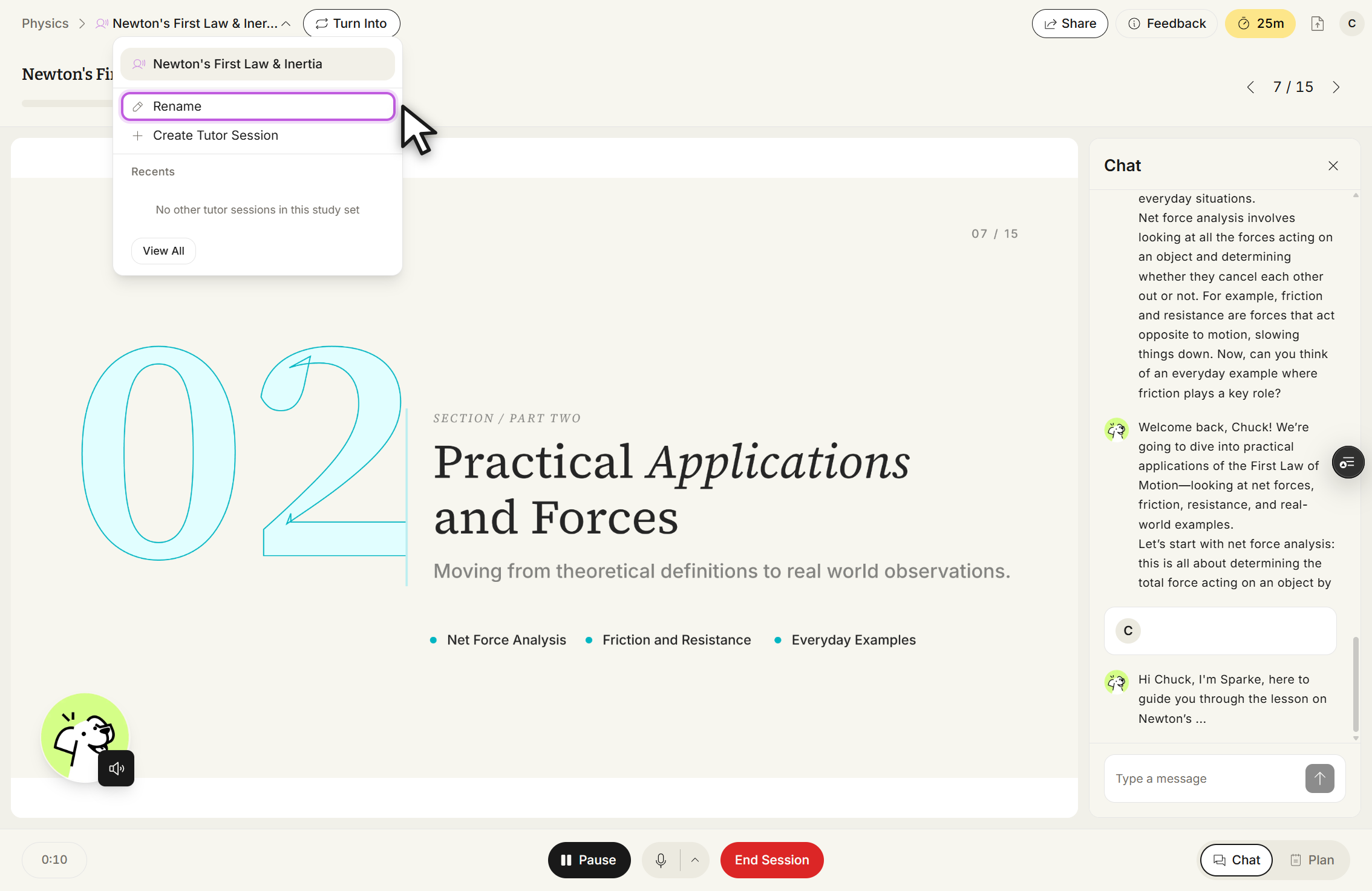
After opening a Tutor Me session, click the downward arrow next to the session name, then select Rename.
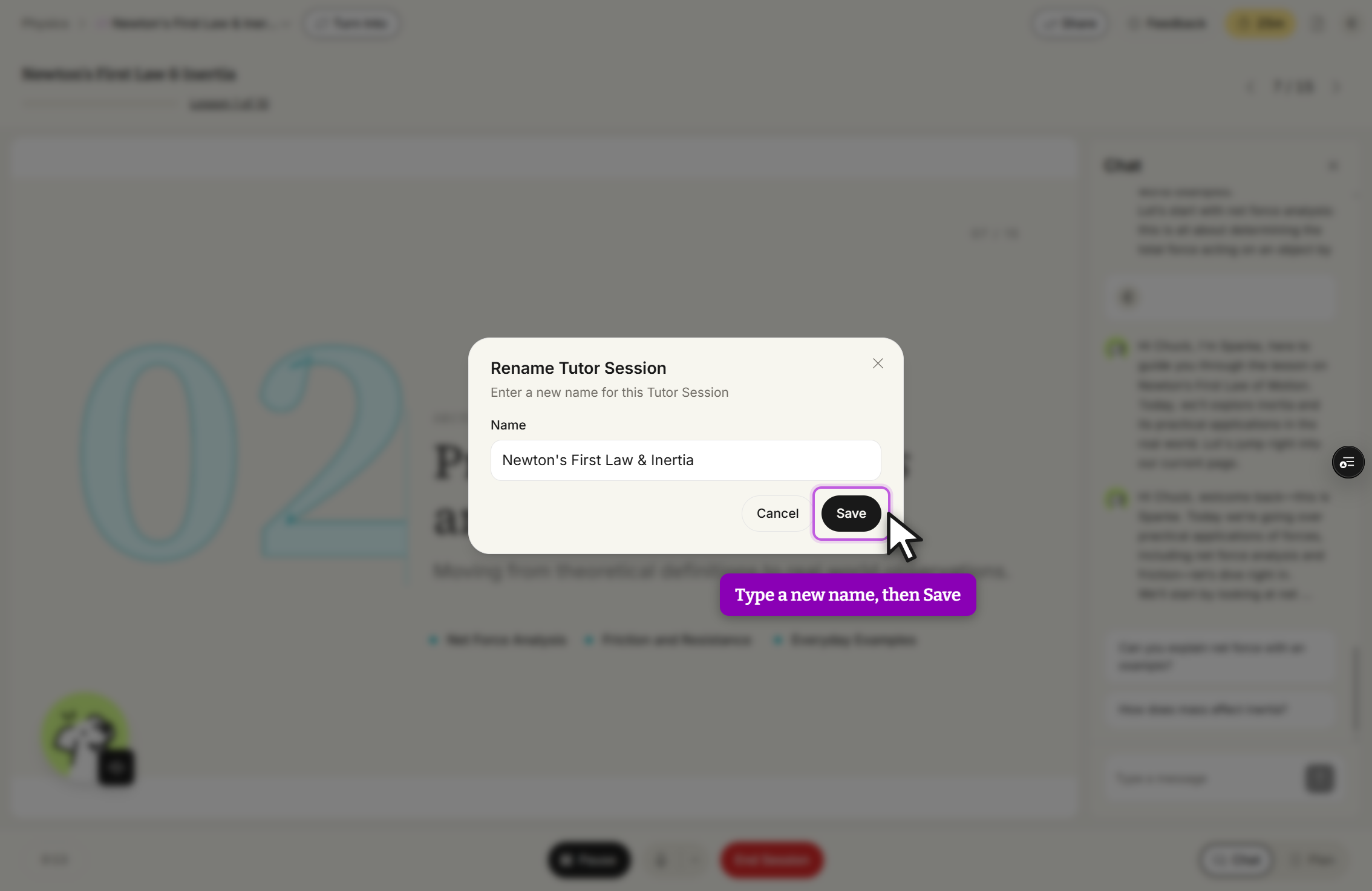
Edit the current name or enter a new name in the Name field, then click Save.
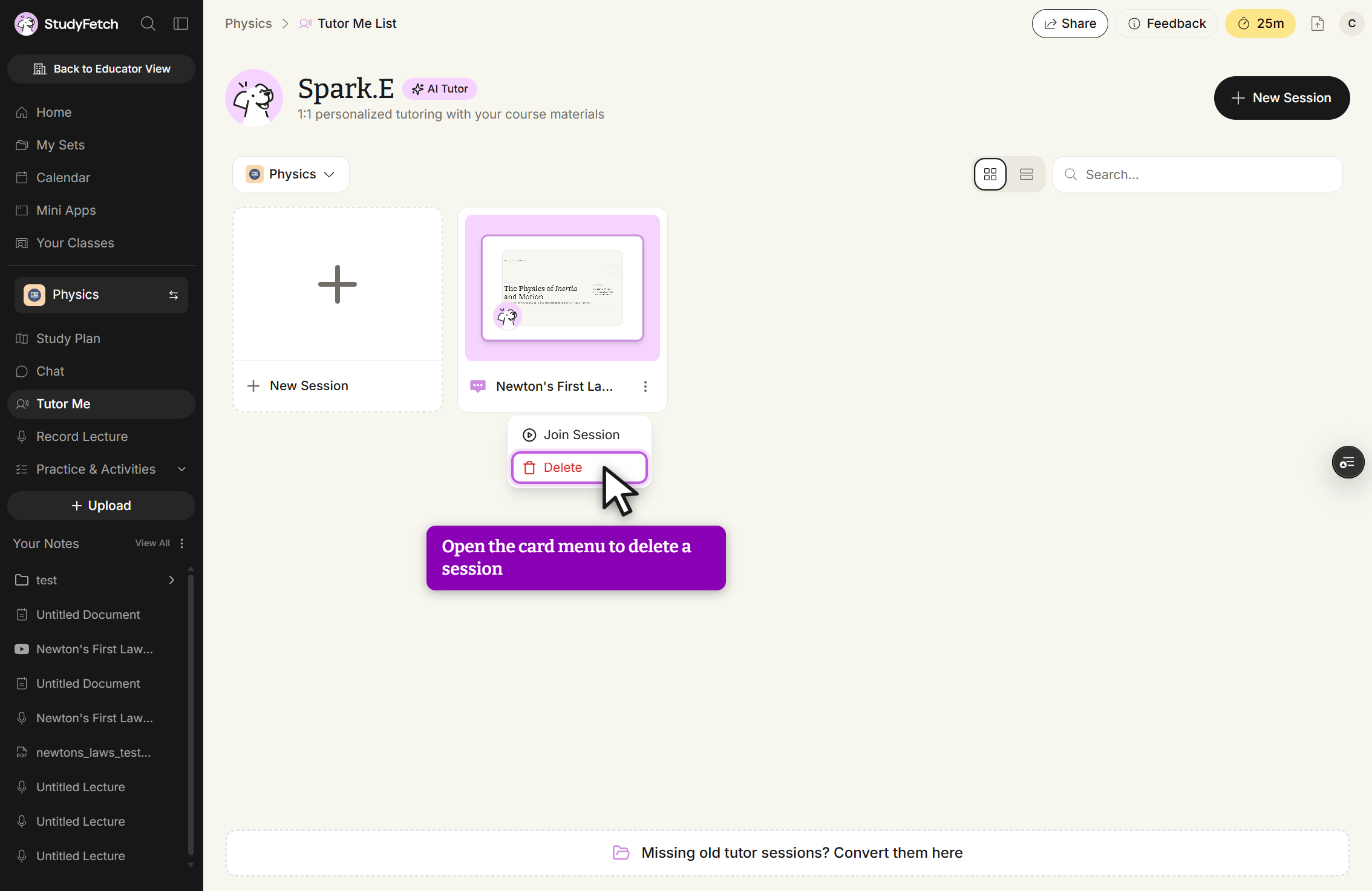
From the left side of your dashboard, click Tutor Me.
Select the three-dot button on the session card, then choose Delete.
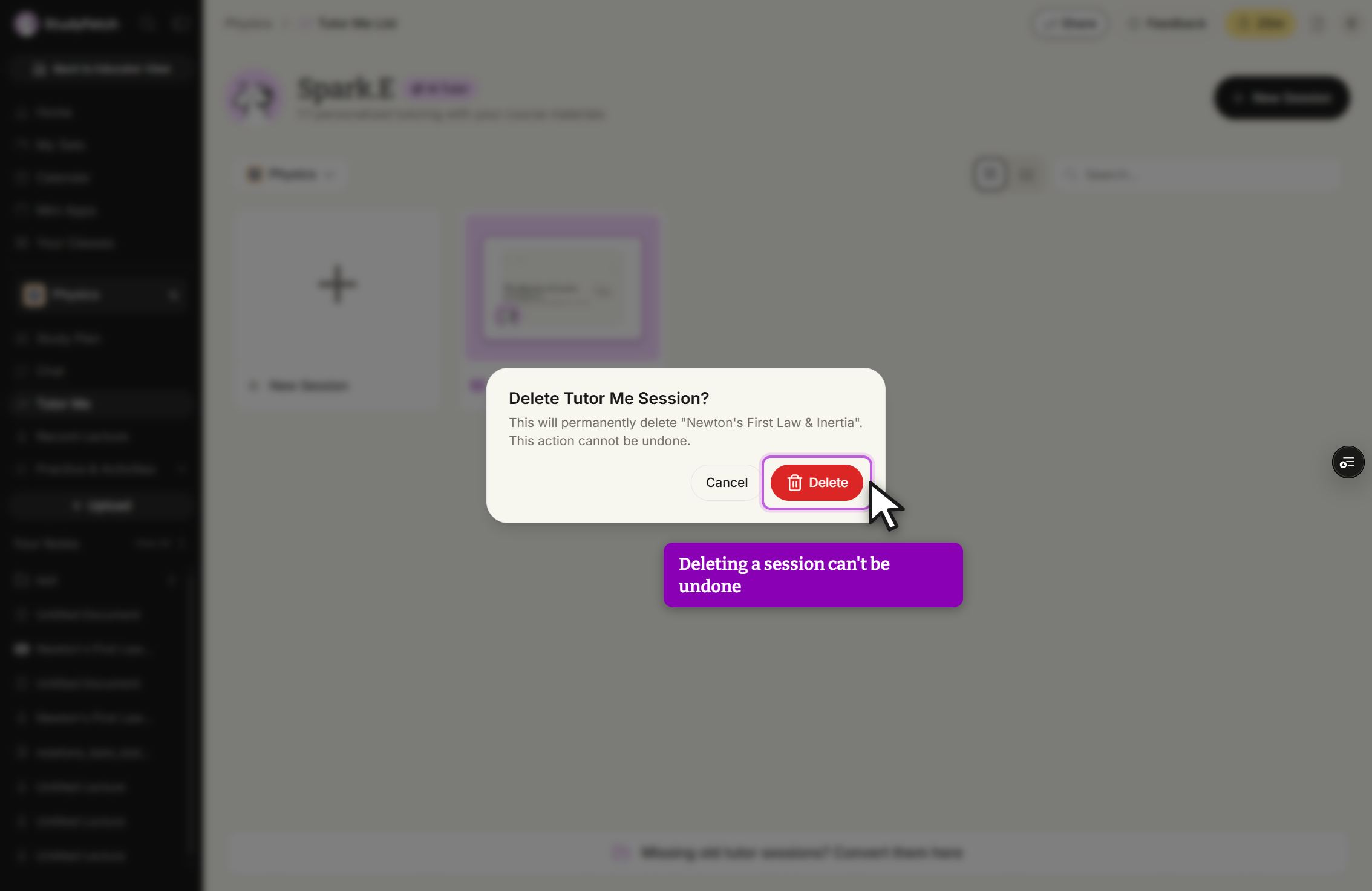
If you are sure you want to delete the session, select Delete in the confirmation dialog.