Product Tutorials
Create and access a Study Set
Creating a New Study Set
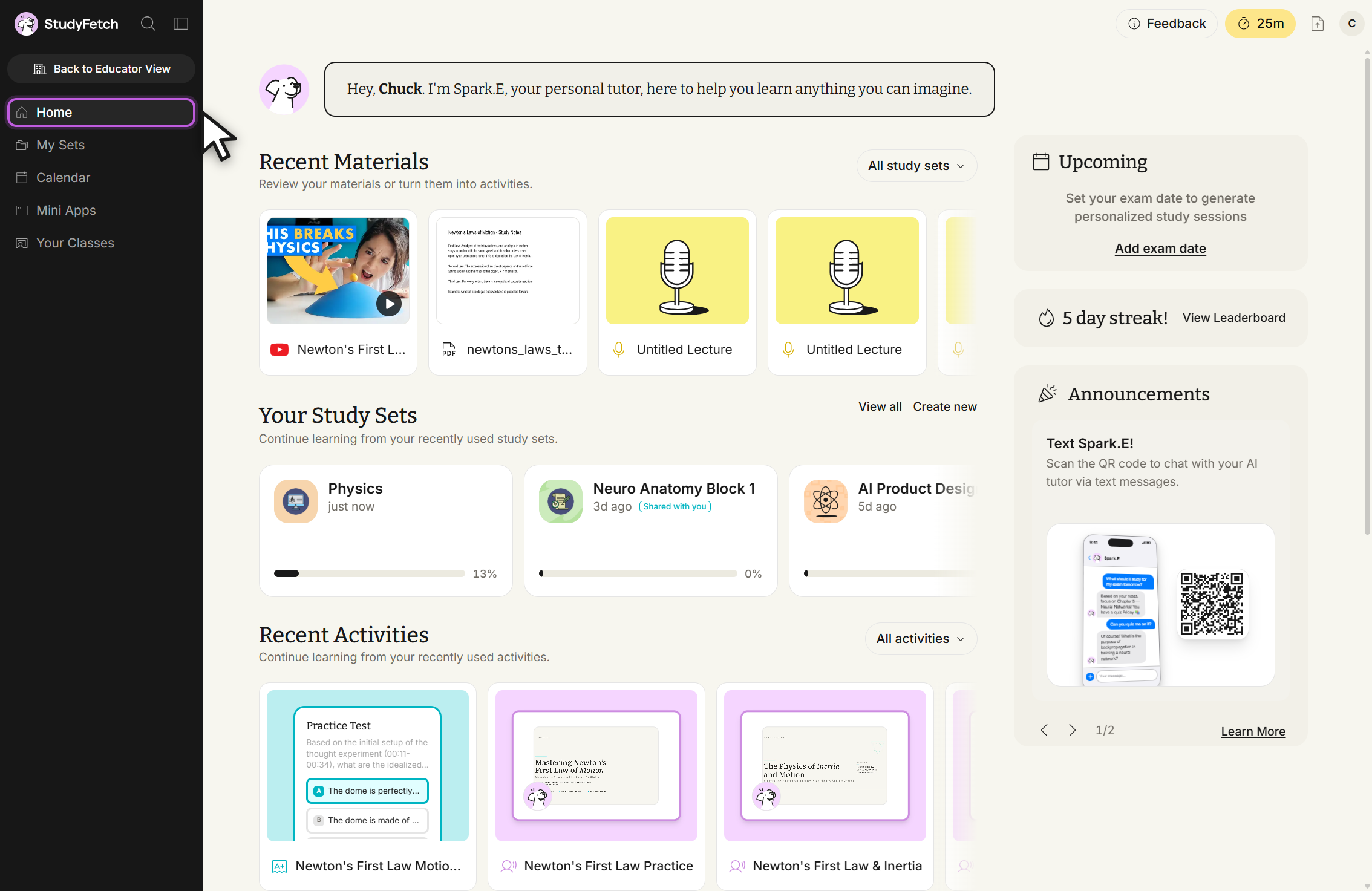
- On the lefthand side of your Dashboard, click My Sets (or use + Create Study Set directly from the My Sets list page).
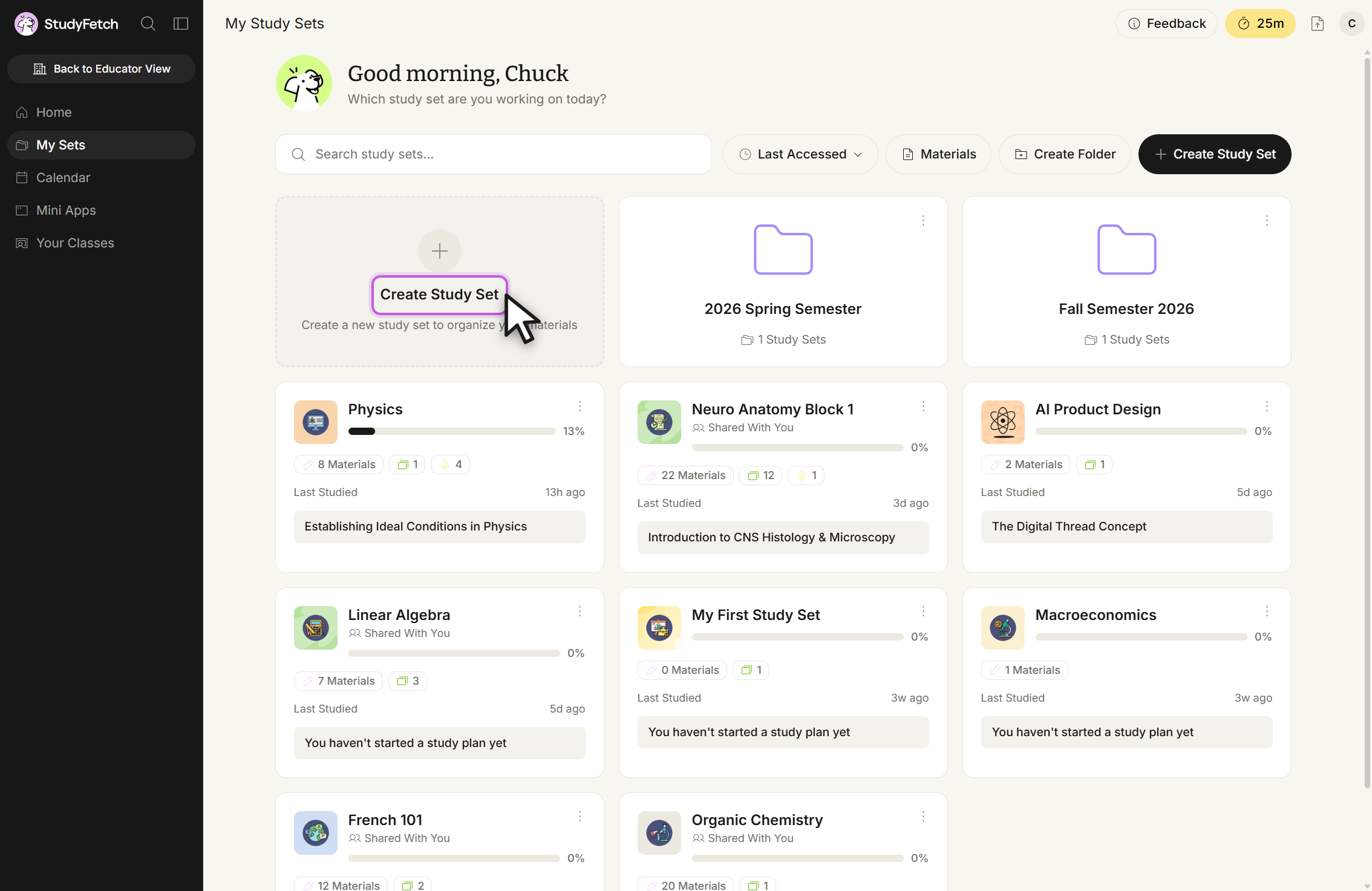
- Choose + Create Study Set.
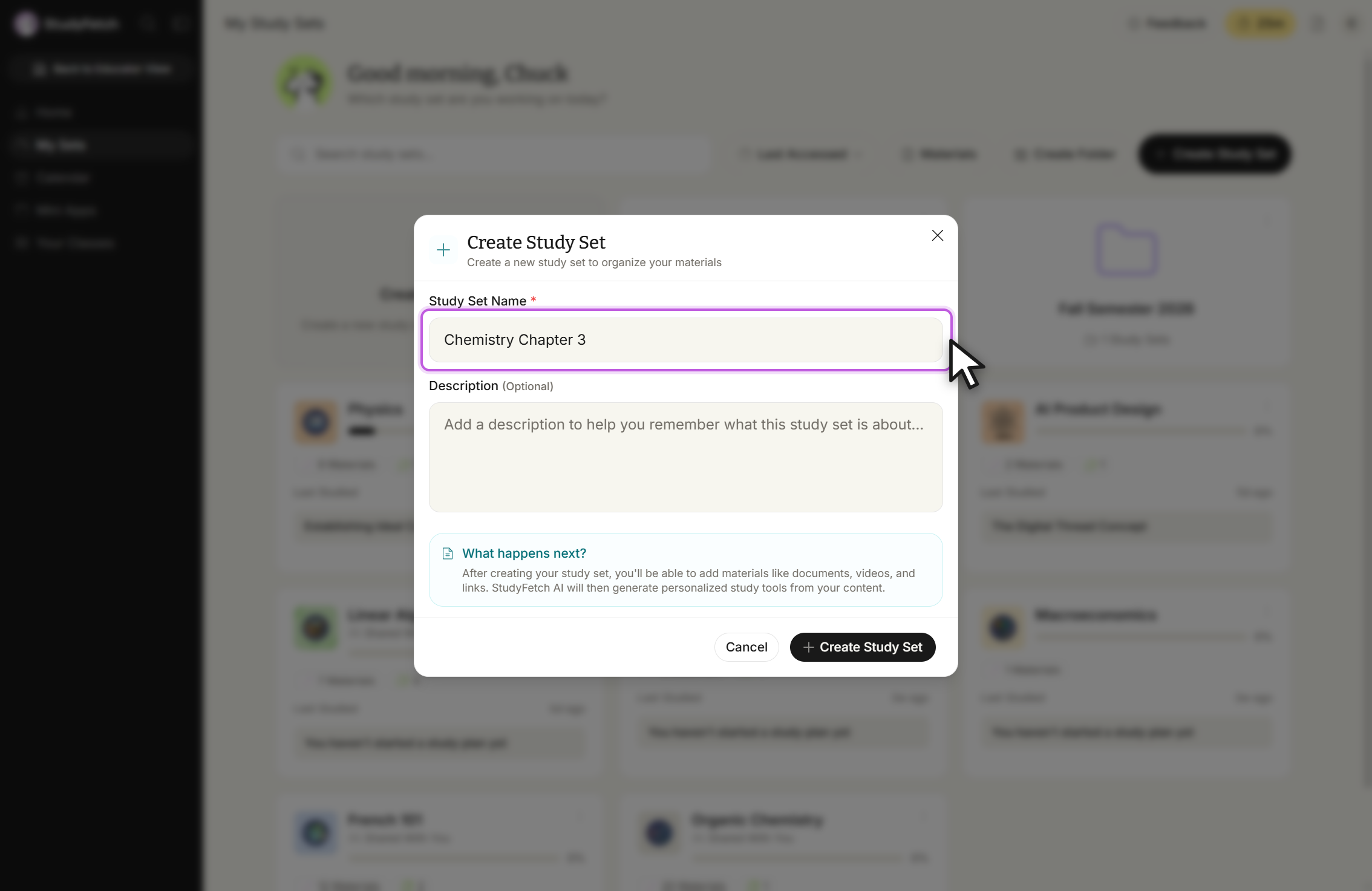
- Enter a name for your Study Set in the Study Set Name field.
- Optionally add a description in the Description field.
- Click + Create Study Set to finish.
Accessing an existing Study Set
There are several ways to get back into a Study Set — pick whichever is fastest for you:
- On your main dashboard, the Jump back in section surfaces the Study Sets you most recently reviewed — click any card to open it.
- Click My Sets in the left sidebar to see every Study Set you have, then select one.
- Use the left/right arrow control in the sidebar to switch quickly between recently accessed Study Sets without leaving the page you're on.