Product Tutorials
Review Results and Edit Rubric
Accessing your performance
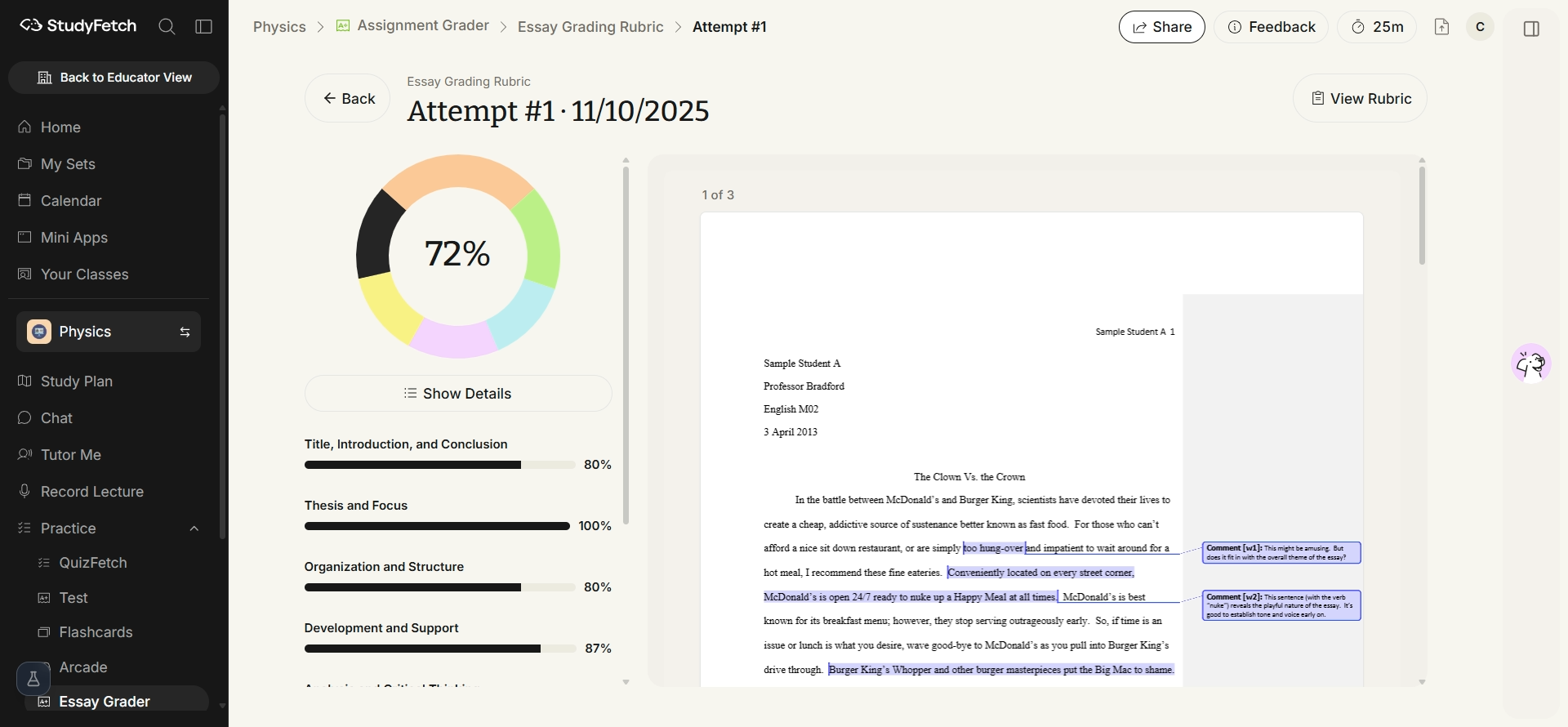
After grading completes, you land on your results page: an overall score, a category-by-category breakdown, and your original document annotated with inline comments.
Viewing your grade breakdown
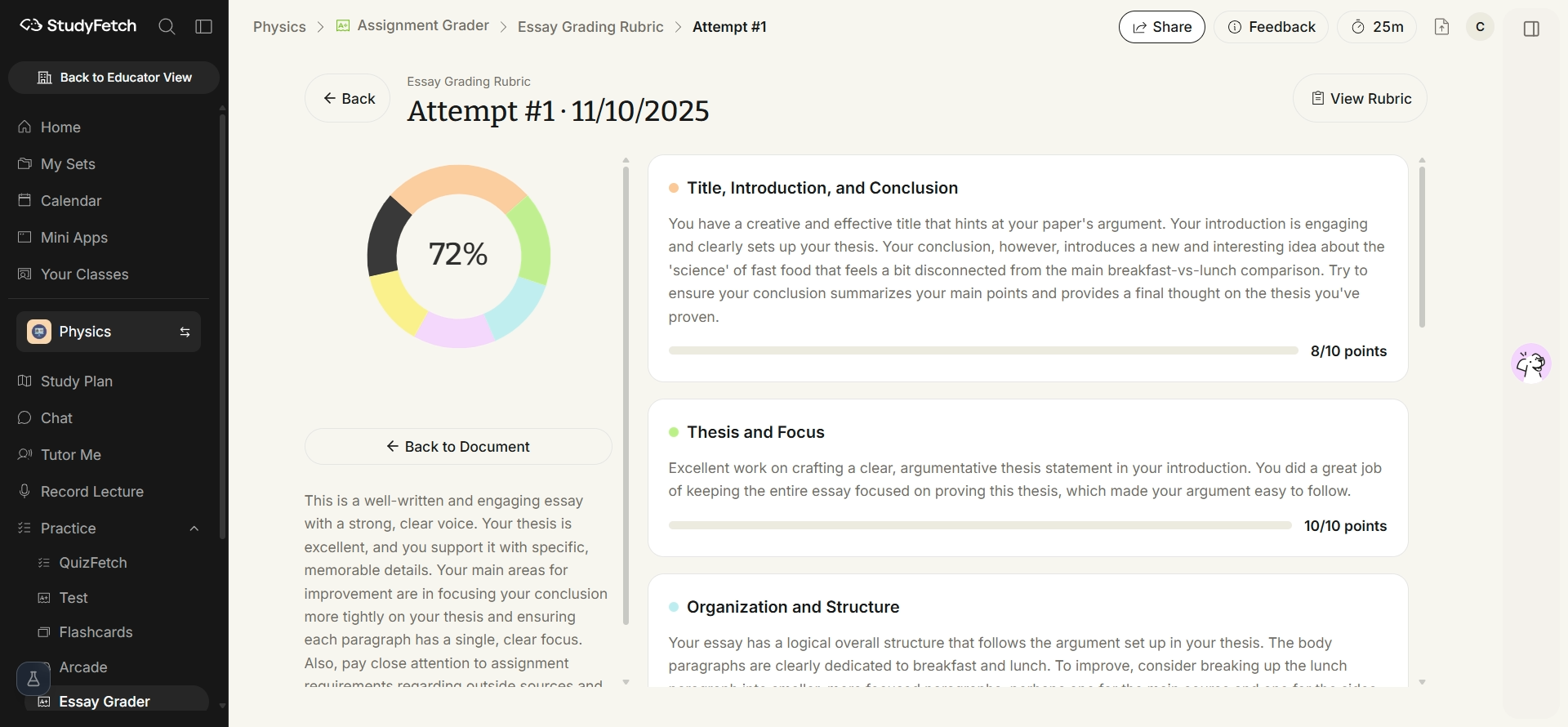
Click Show Details to expand full written feedback for every rubric category — what you did well and what to improve — alongside an overall summary.
Viewing and editing your assignment rubric
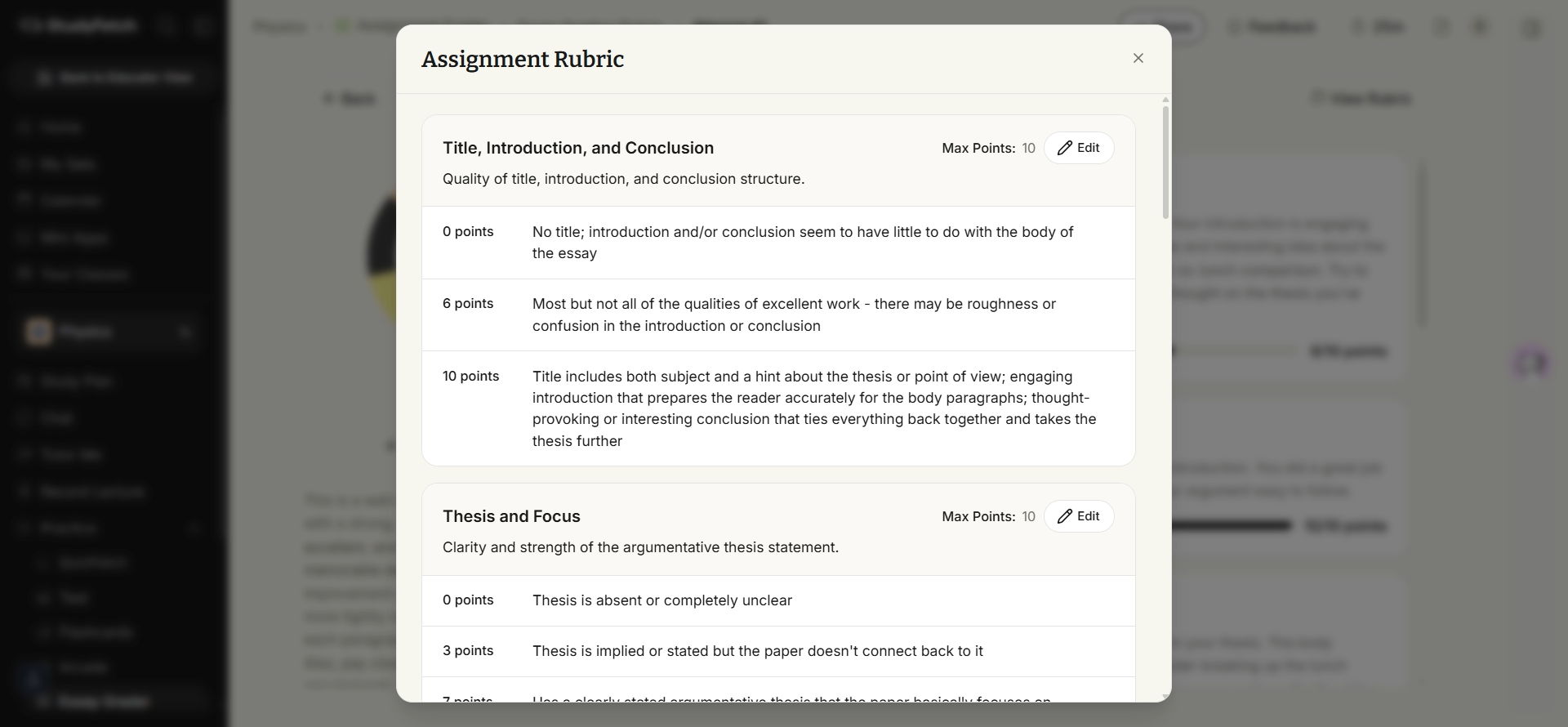
Click View Rubric from the results page to see the exact criteria and point breakdown used to grade your work.
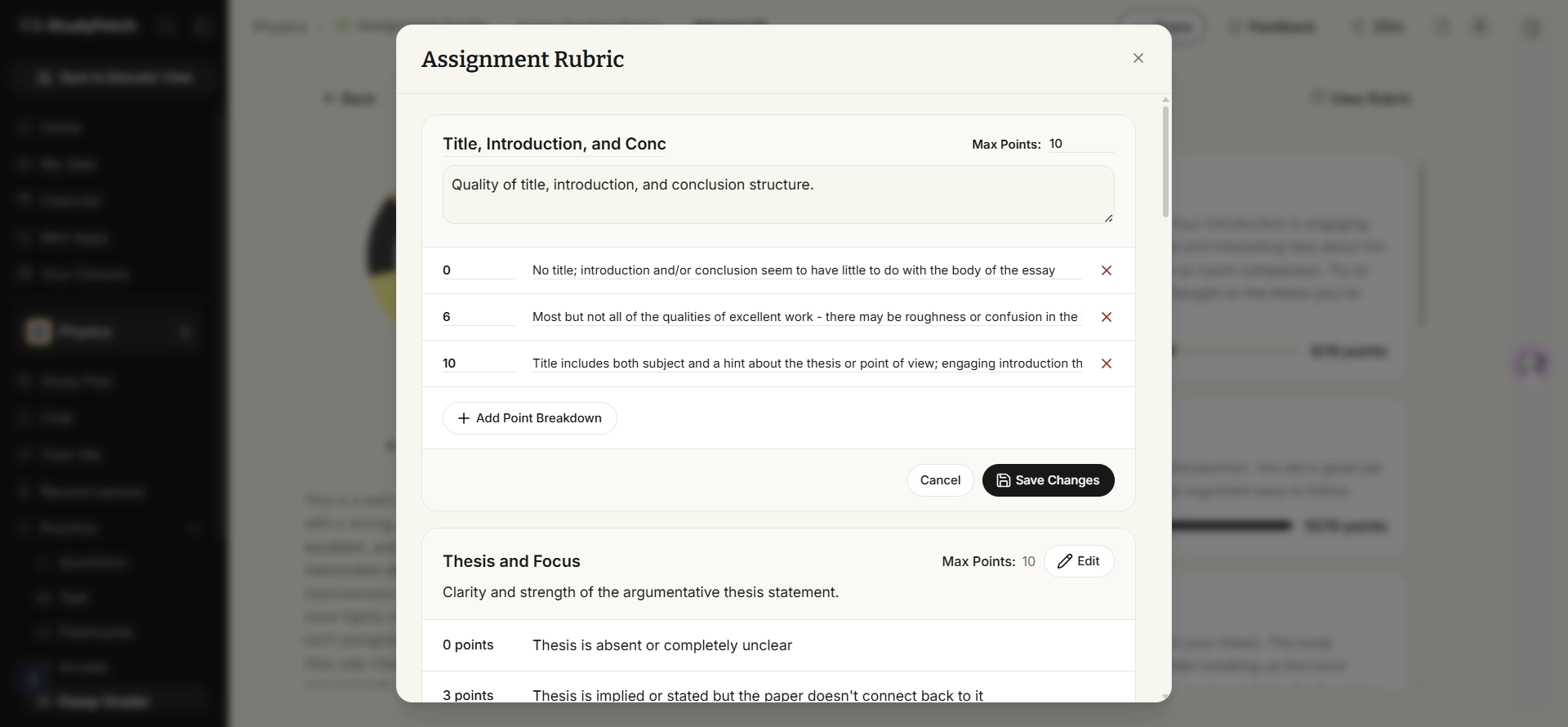
Click Edit on any category to adjust its description, point breakdowns, or add new criteria, then Save Changes.