Use active recall, spaced repetition, interleaving, customization, and related StudyFetch tools to get more from flashcards.
Review over time
Use spaced repetition to improve long-term retention.
Practice recall
Try to remember the answer before flipping the card.
Build context
Add images, diagrams, and related study materials.
Flashcard Study Tips
Here are some effective ways to use your flashcards:
Spaced Repetition: Review cards at increasing intervals to improve long-term retention
Active Recall: Test yourself by viewing the term first, then attempt to recall the definition
Interleaving: Mix up different types of content rather than focusing on one topic at a time
Customize Your Cards: Add images, diagrams, or additional context to enhance your learning
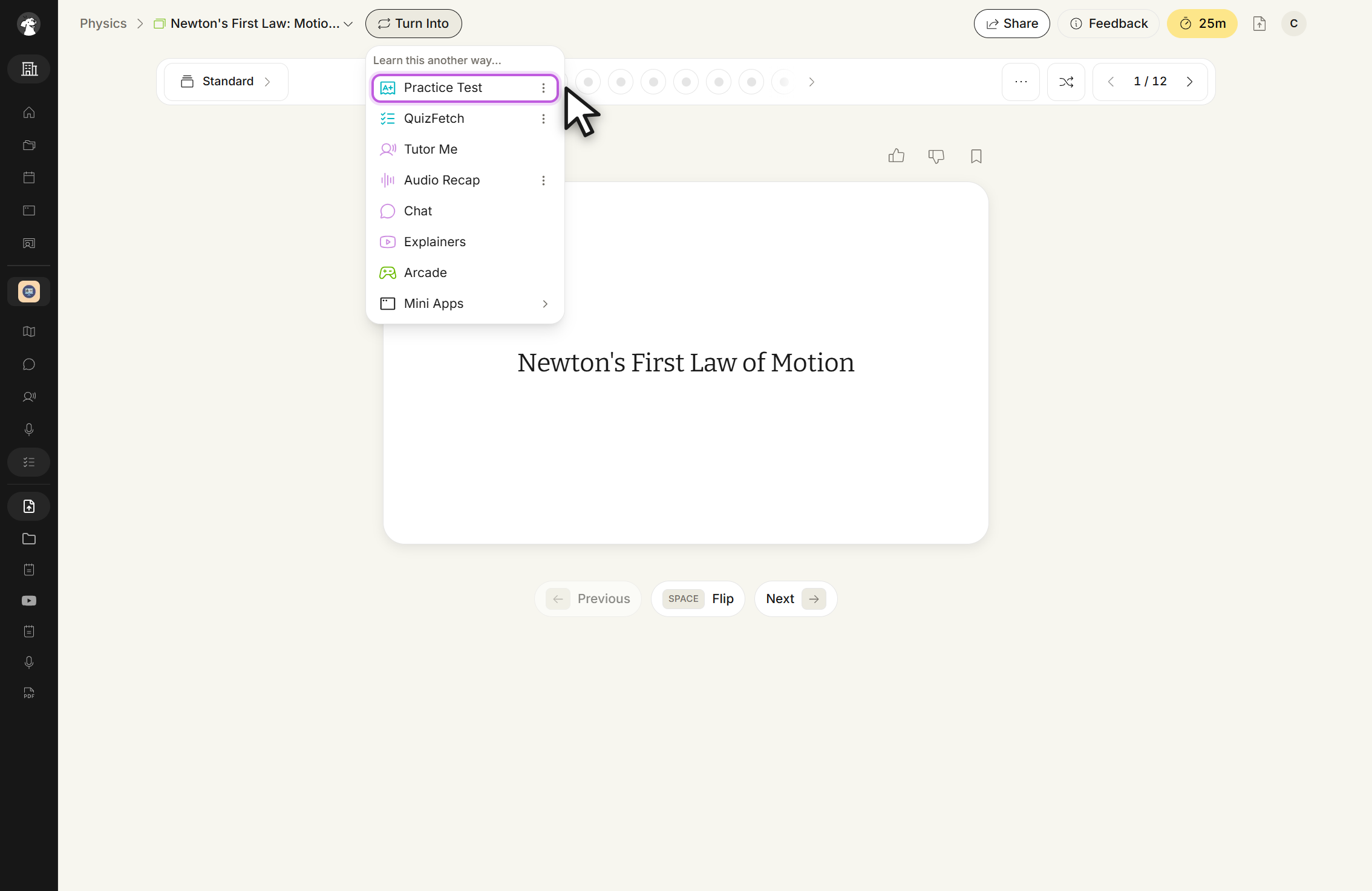
Integration with Other Tools: Your flashcards can be used to generate practice tests, quizzes, and other study materials. You can generate study materials from within each feature section or directly from your flashcards by selecting Turn Into above the flashcard set and choosing your desired study tool
Turn Into menu, headed Learn this another way... Pick Practice Test, QuizFetch, Tutor Me, Audio Recap, Chat, Explainers, Arcade, or Mini Apps.
Related Features
Once you've created flashcards, you might want to:
Take a practice test to assess your knowledge
Create notes for more comprehensive study materials
Try QuizFetch for a fun, interactive way to test your knowledge
 StudyFetch Academy