Product Tutorials
Manage Study Sets
Managing Your Study Sets
Viewing Your Study Set
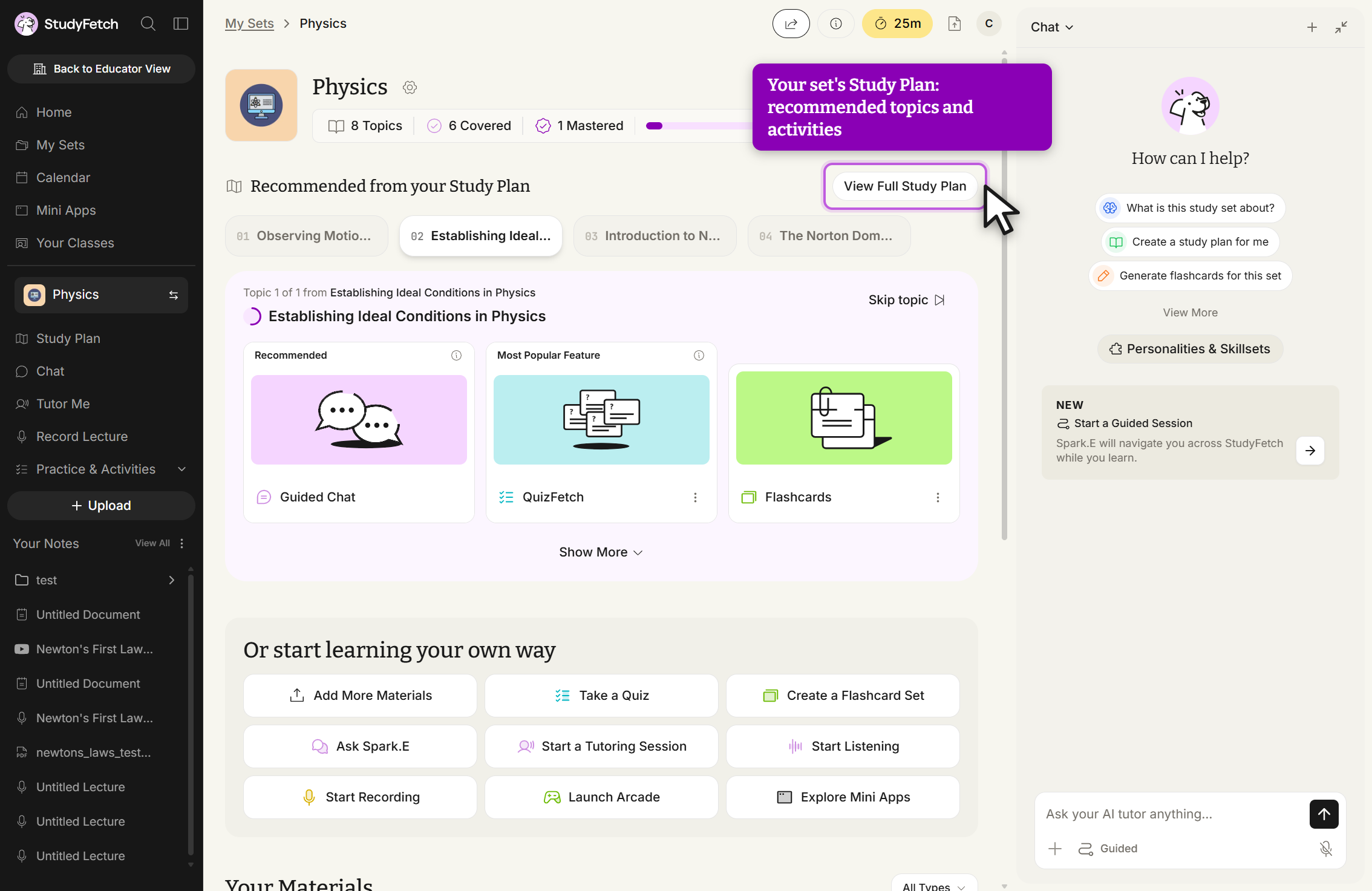
Opening a Study Set now lands you on a Study Plan view: recommended topics, quick access to QuizFetch, Flashcards, and Tutor for the current topic, plus Add your syllabus and Exam Dates panels on the right. Scroll down to Or start learning your own way for direct actions like Add More Materials, Take a Quiz, or Create a Flashcard Set. Uploaded materials remain listed under Your Notes in the left sidebar.
Editing an Existing Study Set
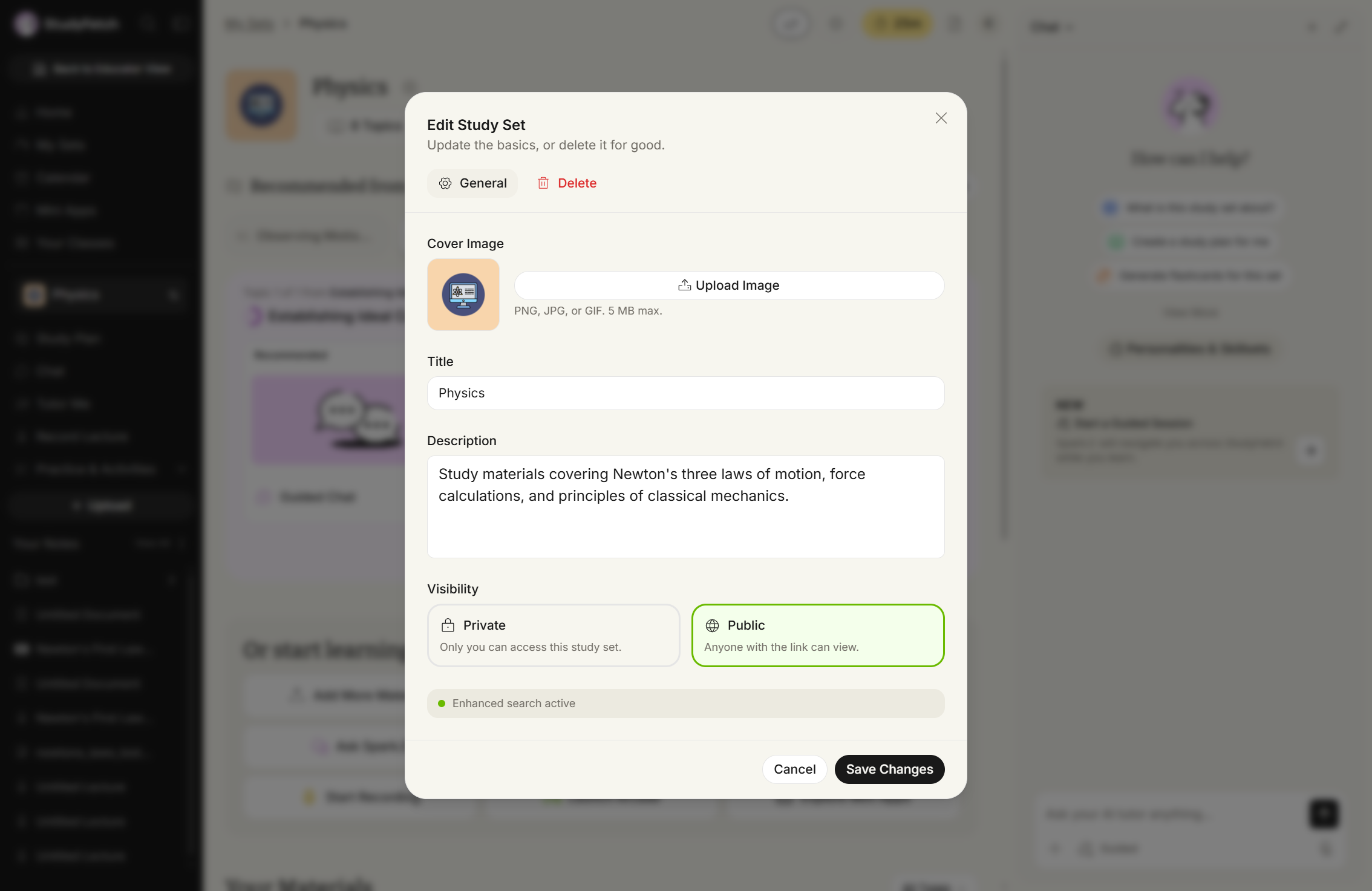
- Open the Study Set you want to edit, then click the gear icon next to its title.
- In the General tab, update the Cover Image, Title, Description, and Visibility (Private or Public) all from one screen.
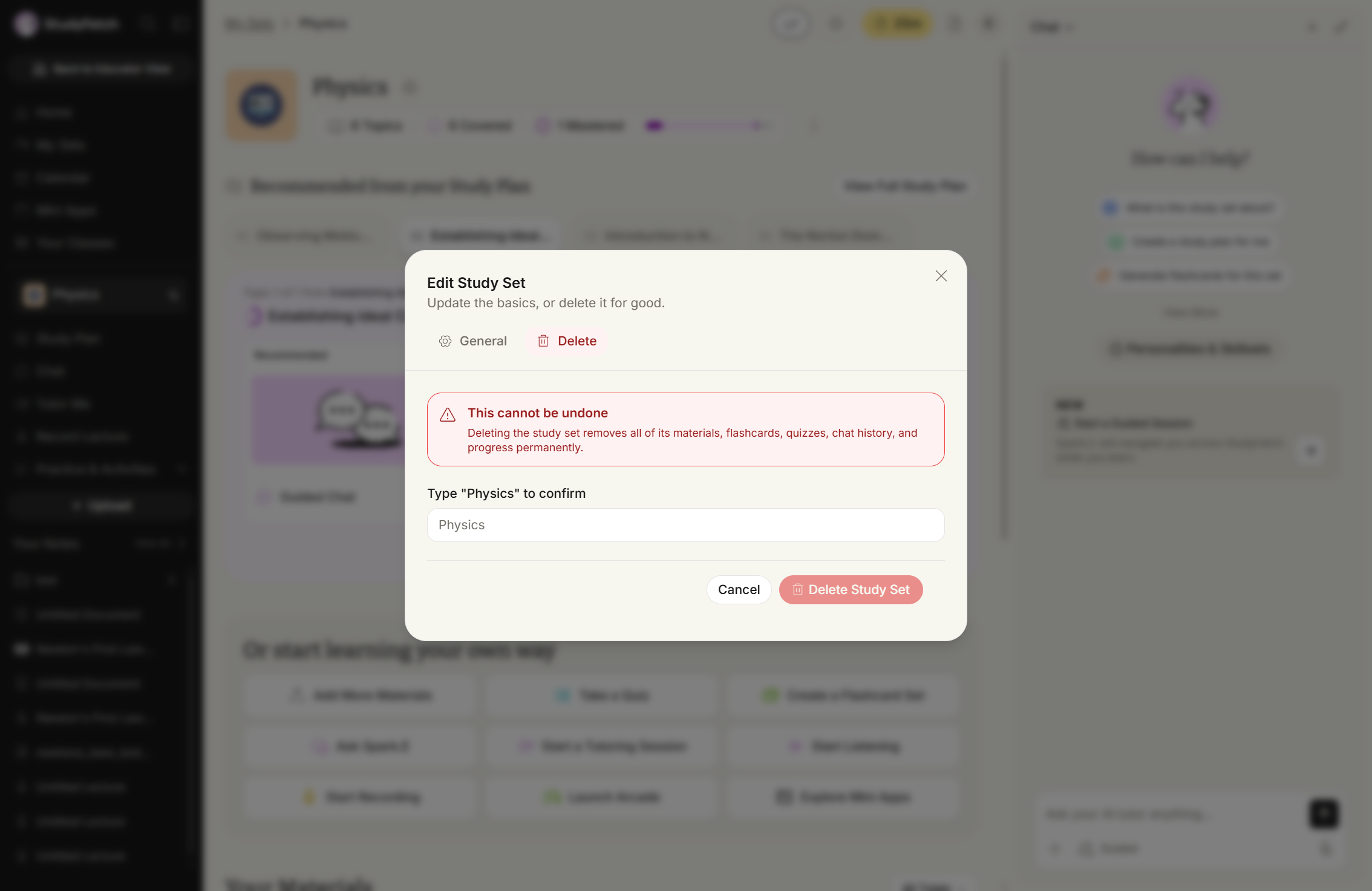
- In the Delete tab, type the Study Set's exact name to confirm, then click Delete Study Set.
- When done editing, click Save Changes.