
Product Tutorials
Create an Explainer
Creating Explainers
Step 1: Start a New Explainer
- From the Explainers List, click + Create Video in the top right.
Step 2: Choose Your Source
Choose how you'd like to generate your explainer video: Create from Materials or Create from Topic.
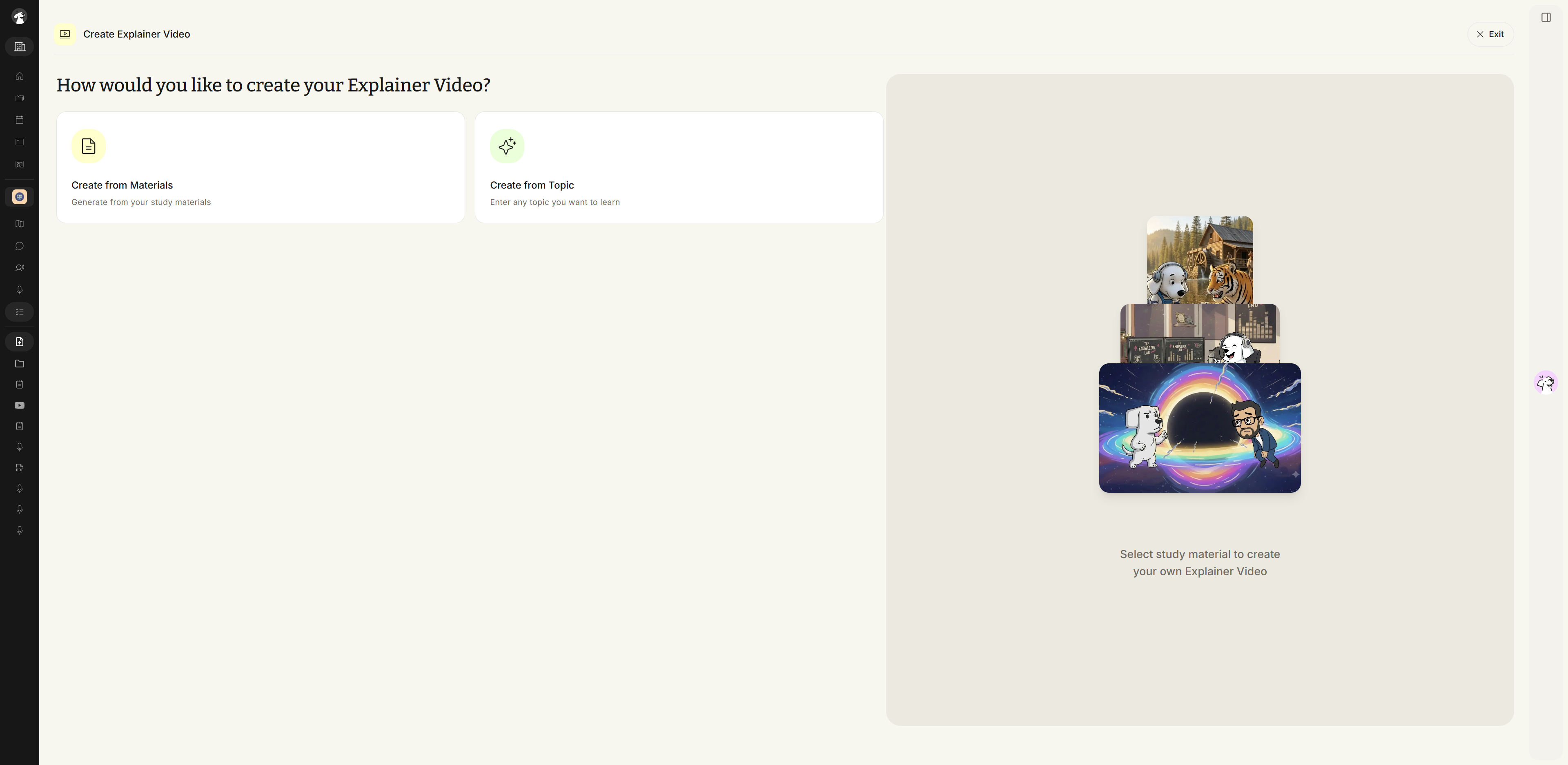
Method 1: Create from Materials
- Select Create from Materials, then choose from your previously uploaded materials or click + Upload New Material to add something new. Selected materials appear in the right-side preview panel. When you're ready, click Next.
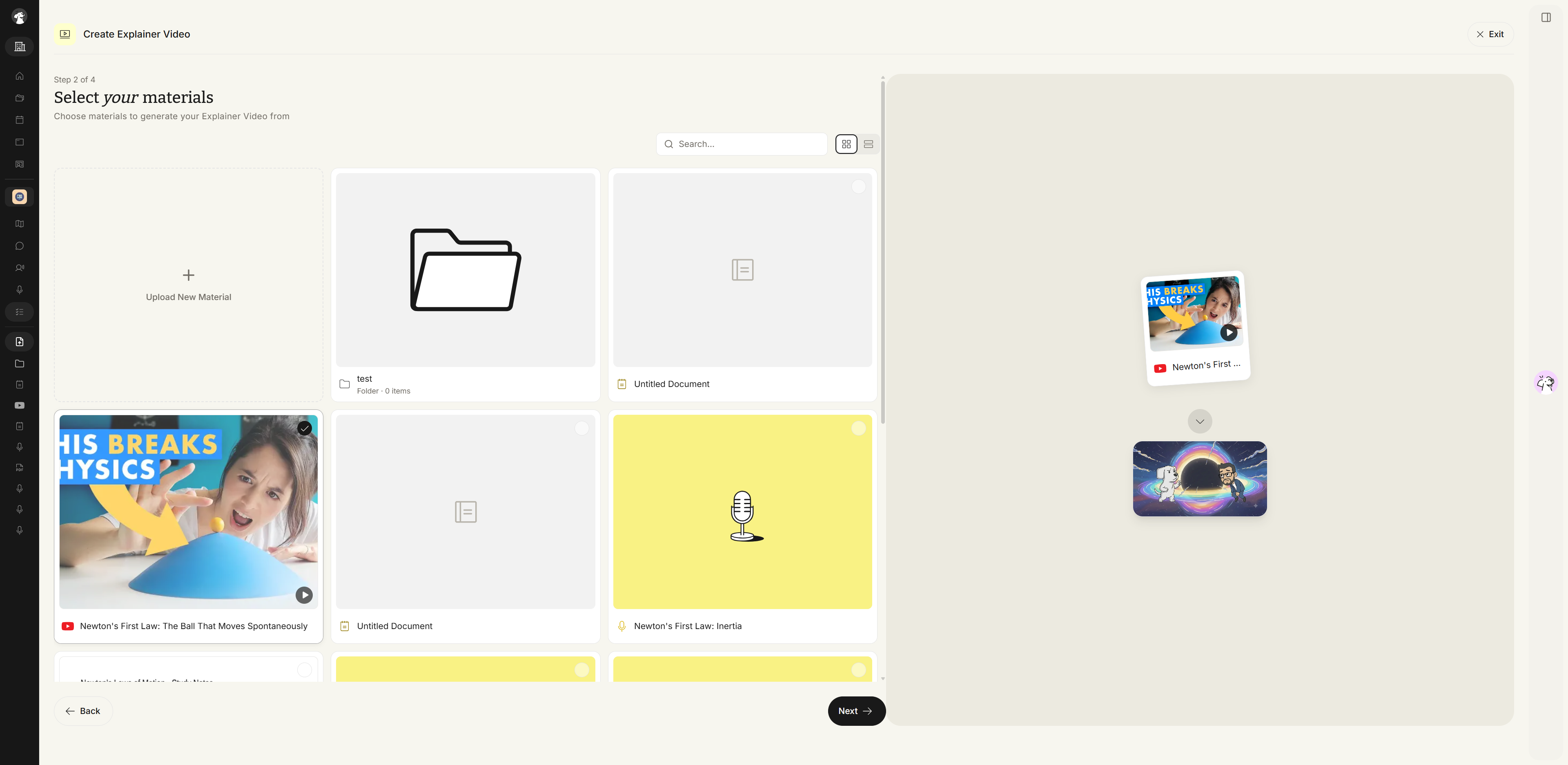
Method 2: Create from Topic
- Select Create from Topic, then fill in the Topic to learn field (or pick one of the suggested prompts like Psychology, Economics, or Marketing), describe what about this topic you want covered, and choose a skill level — High School, AP Course, College, or Professional. A live preview on the right updates as you type. Click Next when you're done.
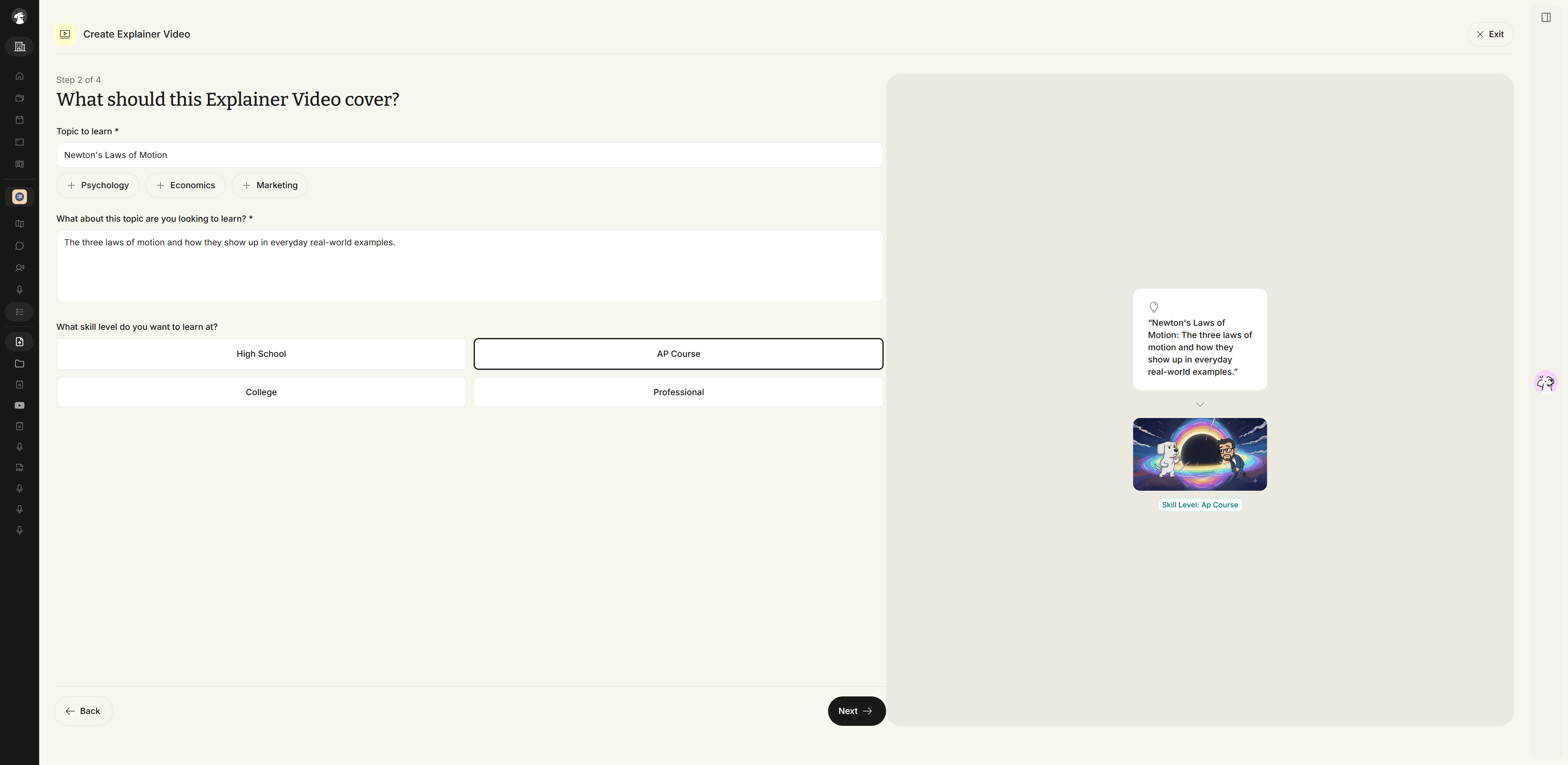
- Proceed to Choose and Customize an Explainer Video.