Skip to content
StudyFetch Academy

Product Tutorials

Take and Navigate a QuizFetch Quiz

Taking Your Quiz

Step 1: Select and Confirm an Answer

Choose your answer by clicking an option (or, for multiple choice, pressing the corresponding letter key). Type a response and press Submit or Shift + Enter for short-answer style questions, or select I don't know if you're unsure. Throughout the quiz, the Sparky Chat panel on the right stays available so you can ask questions or request clarification at any point.
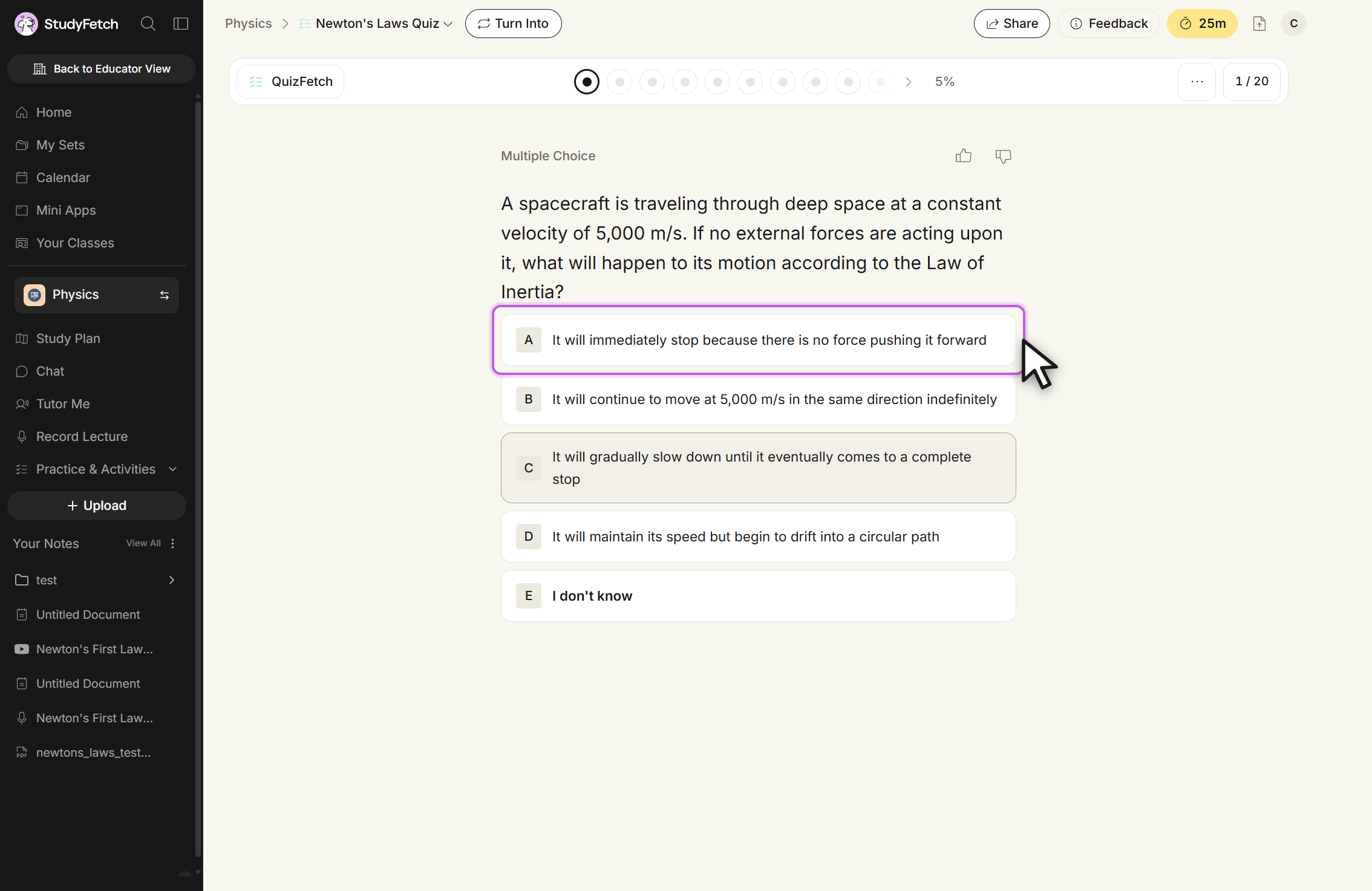
The Newton's Laws Quiz open in QuizFetch, header showing 1 / 20 and 5%. A Multiple Choice question reads: A spacecraft is traveling through deep space at a constant velocity of 5,000 m/s. If no external forces are acting upon it, what will happen to its motion according to the Law of Inertia? Five options are listed: A, It will immediately stop because there is no force pushing it forward, outlined with the cursor on it; B, It will continue to move at 5,000 m/s in the same direction indefinitely; C, It will gradually slow down until it eventually comes to a complete stop; D, It will maintain its speed but begin to drift into a circular path; and E, I don't know. Thumbs up and thumbs down buttons sit above the question.
Newton's Laws Quiz, question 1 / 20. Click an answer option, or choose E, I don't know.

After choosing an answer, review your selection in the confirmation box. Select Change Answer to go back and reselect, or continue on to rate your confidence.

Step 2: Rate Your Confidence

QuizFetch pairs spaced repetition with a confidence rating: after each answer, rate yourself Not Very Confident (1), Somewhat Confident (2), or Very Confident (3) using the buttons or the 1/2/3 keys. Your accuracy and confidence together determine when the question will resurface — high confidence plus a correct answer moves you toward mastery fastest.
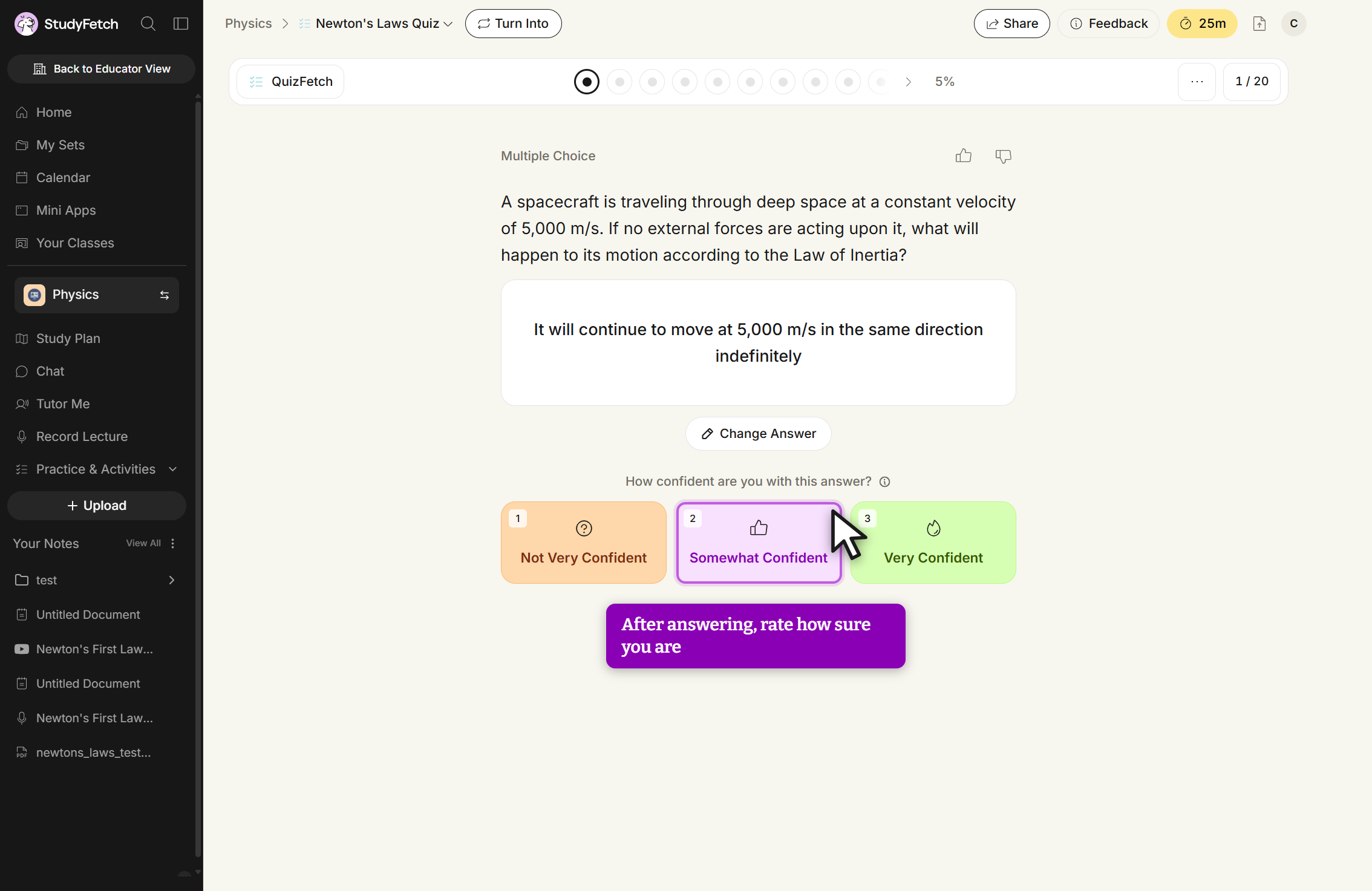
The Newton's Laws Quiz on question 1 / 20 at 5%, after an answer was picked. The chosen answer, It will continue to move at 5,000 m/s in the same direction indefinitely, sits in a card with a Change Answer button below it. Under the prompt How confident are you with this answer? are three buttons: 1, Not Very Confident; 2, Somewhat Confident, outlined with the cursor on it; and 3, Very Confident.
Newton's Laws Quiz, question 1 / 20 with an answer selected. Rate your confidence, or click Change Answer to pick again.

Step 3: Review Your Feedback

Sparky explains the correct answer and, based on your accuracy and confidence, updates your mastery progress for that question — correct, confident answers can lock a question in as mastered right away, while incorrect answers reset or reduce progress and show how many additional correct responses are needed. Use the Sparky Chat to dig deeper into any explanation before moving on with Next or the Enter key.
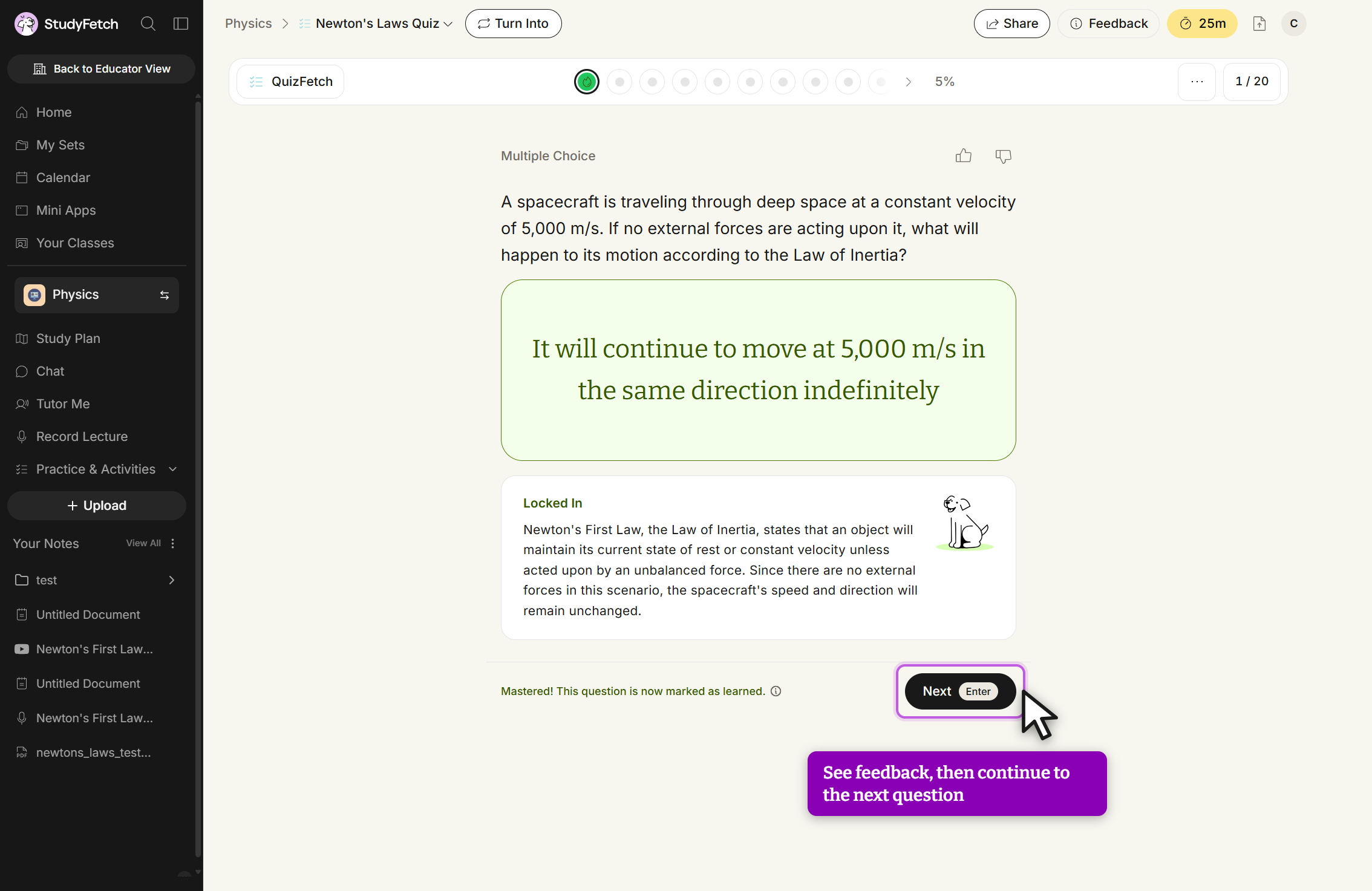
The Newton's Laws Quiz on question 1 / 20 at 5%, after rating confidence. The answer It will continue to move at 5,000 m/s in the same direction indefinitely is shown in a green card. Below it a panel headed Locked In explains that Newton's First Law, the Law of Inertia, states that an object will maintain its current state of rest or constant velocity unless acted upon by an unbalanced force, so the spacecraft's speed and direction will remain unchanged. A line at the bottom reads Mastered! This question is now marked as learned, beside a Next button labeled Enter with the cursor on it. The first progress dot at the top is green.
Newton's Laws Quiz, feedback on question 1 / 20. Read the Locked In explanation, then click Next.

The progress bar at the top shows one dot per question, filling in green (correct) or updating as you answer; your overall mastery percentage is shown alongside it. Hover over any dot for details on that question's confidence rating and mastery status, or click the source number above a question to see exactly where it comes from in your materials. QuizFetch presents questions in an adaptive order based on confidence and spaced repetition, so you move forward with Next rather than jumping between questions freely. To start over, open the ... menu in the top toolbar and select Restart — you'll be asked to confirm, since this resets all progress back to question 1.
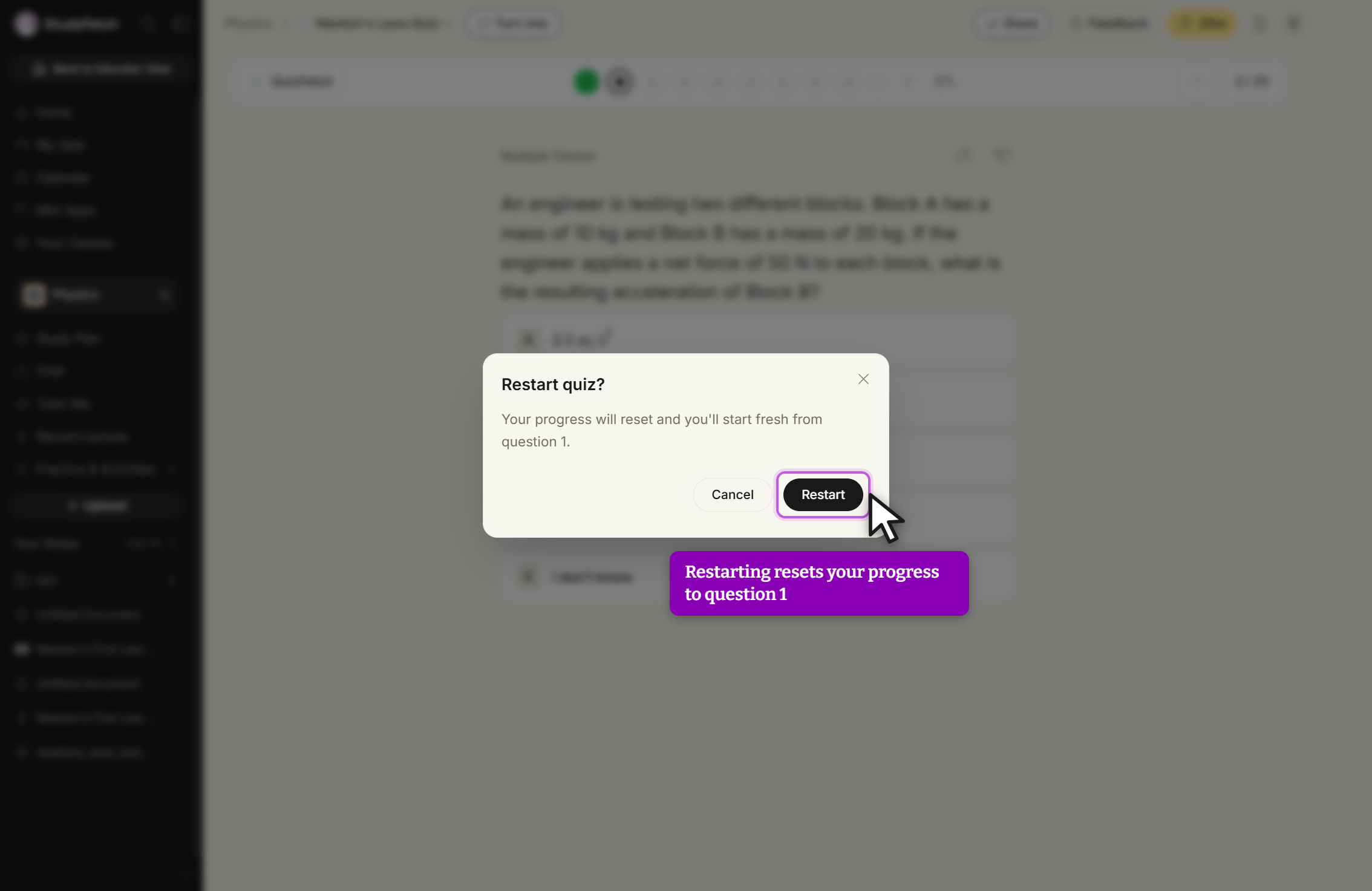
A dialog titled Restart quiz? over a dimmed QuizFetch question screen. The dialog reads: Your progress will reset and you'll start fresh from question 1. It has a Cancel button, a Restart button with the cursor on it, and a close X in the top right.
Restart quiz? dialog. Click Restart to reset progress to question 1, or Cancel to keep your place.