Product docs
Upload study materials
Uploading Study Materials
- Add your materials by selecting + Upload from the lefthand sidebar, or from the Upload prompt on your Study Set's dashboard. Just pick the option that works best for you.
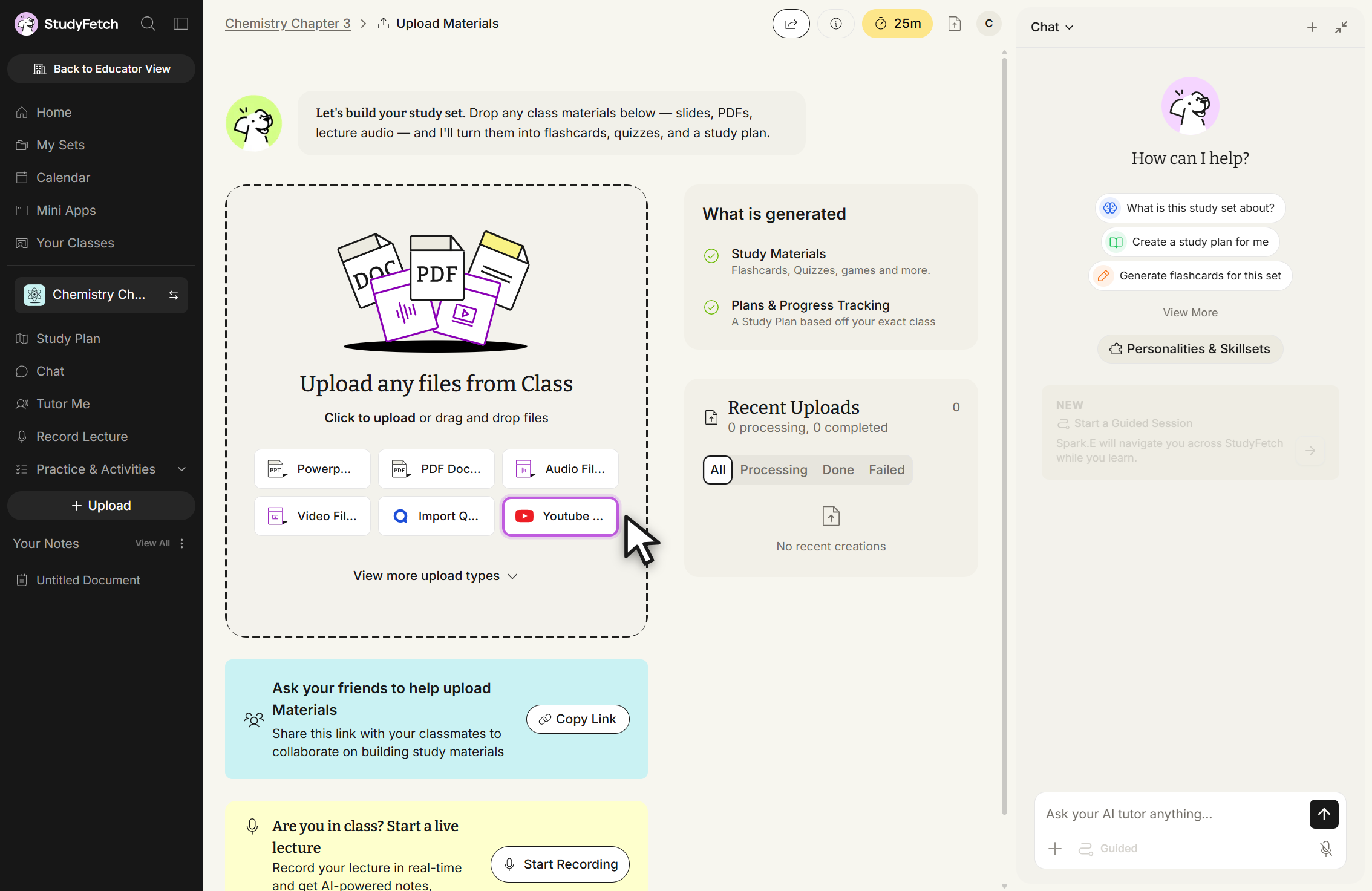
- On a brand-new Study Set, you may first see a Sync with your Class step offering to derive your topics from a syllabus — choose Skip and Upload Documents if you'd rather go straight to uploading materials.
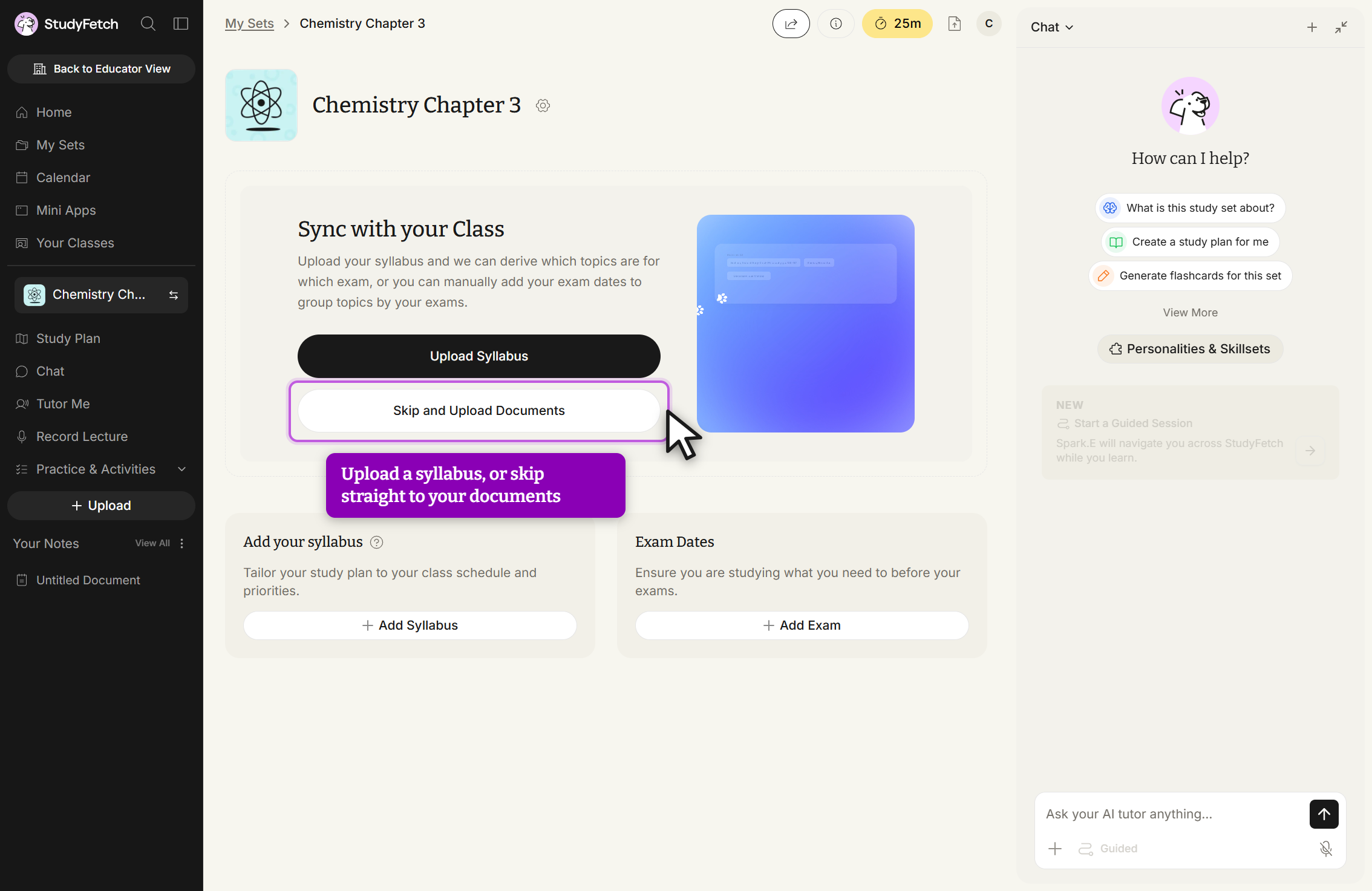
- Select the desired file type from the listed material upload options in the Upload any files from Class box.
- Click anywhere in the box to open your device's file finder and select a file, or drag and drop your file directly.
- Below, you'll find step-by-step guides for each specific material upload method.