
Product docs
Choose and Customize an Explainer Video
Step 3: Choose an Explainer Video Type
Select the style of explainer video you'd like to generate:
- Classic Explainer — best for advanced or technical topics that involve detailed explanations, complex concepts, or equations.
- Animated Explainer (Experimental) — a simple, animated, single-speaker breakdown, best for easier concepts.
- Animated Conversation (Experimental) — presents the topic as a dialogue between two animated characters.
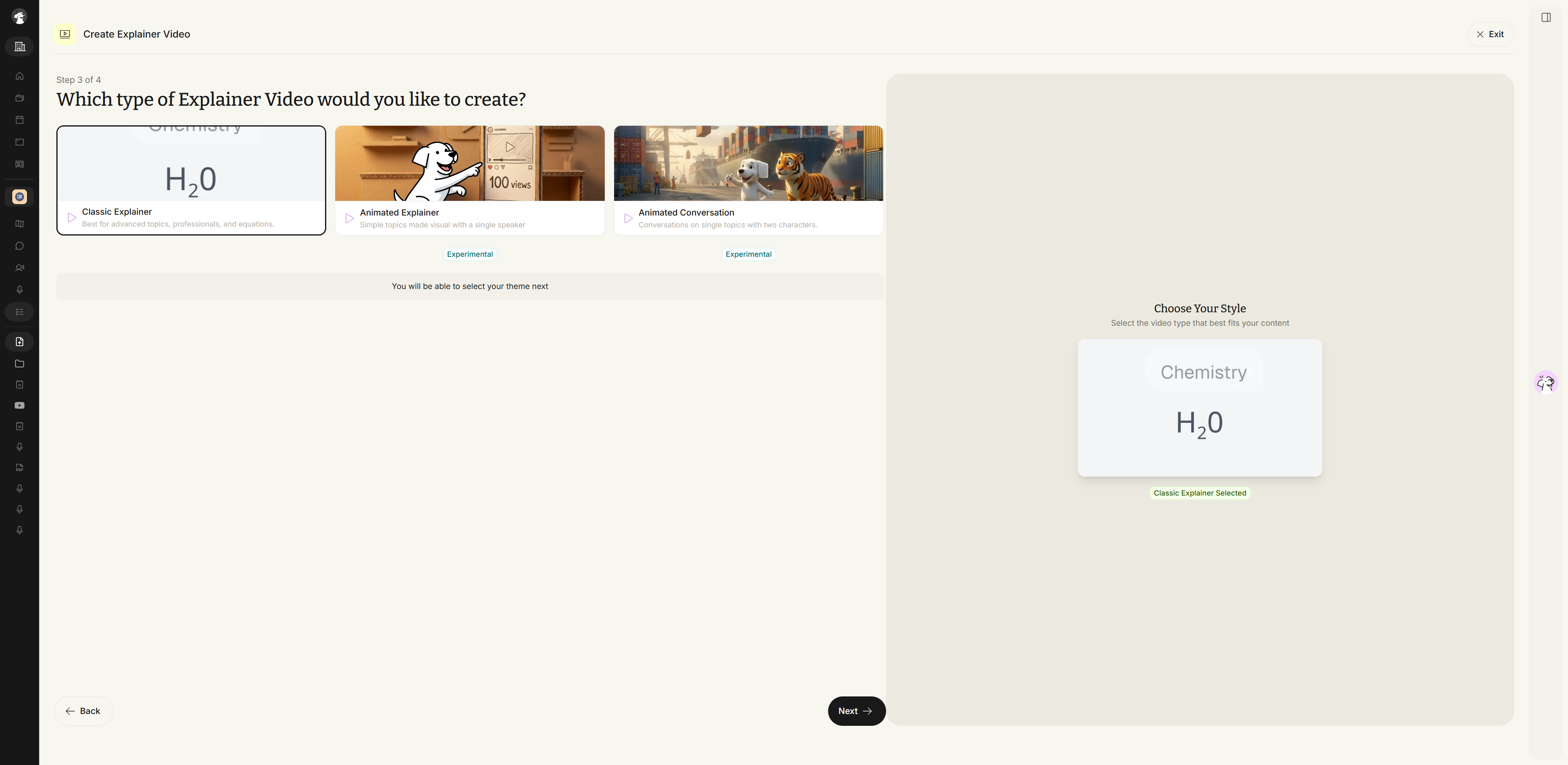
Click Next to continue to customization.
Step 4: Customize Your Explainer Video
The customization step now lives on a single screen rather than a multi-page flow. From here you can set:
- Presentation style — Professional, Teacher, Quick Guide, Storyteller, Comedy, Deep Dive, or Other (custom).
- Video length — Short (~3 min), Medium (~3-8 min), Long (~8-12 min), or Extended (18-20 min).
- Visual theme — Clean, Dark Pro, Blackboard, Minimal, Warm, or Custom (with your own colors).
- Content enhancement — toggles to include relevant web content and web images, plus a language selector for the narration.
A live summary card on the right shows your selected style, length, and theme as you configure them.
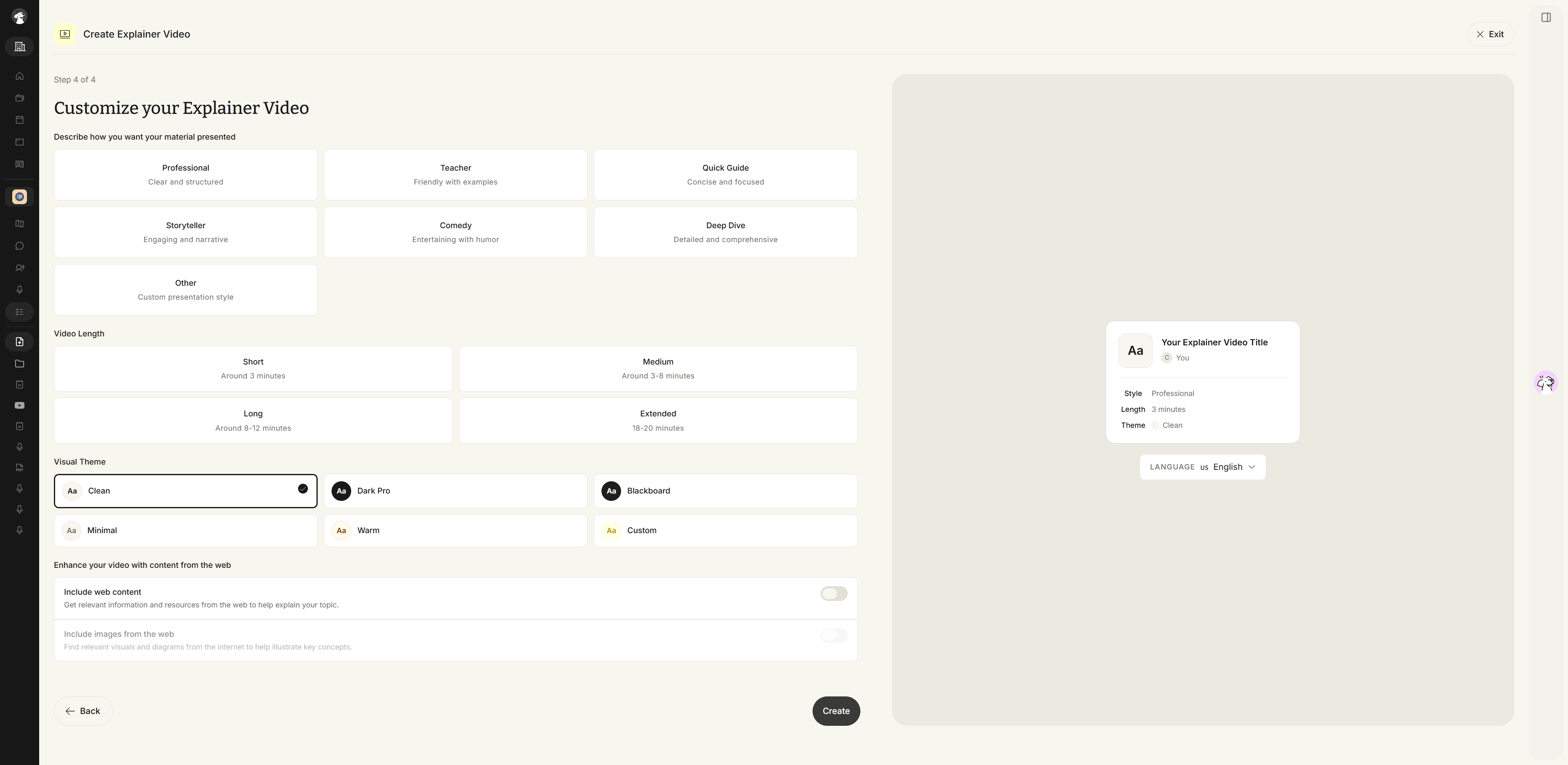
- Once you're done, click Create.
Generating Your Video
Your Explainer Video begins generating, with a live countdown and an option to try another study feature while you wait.
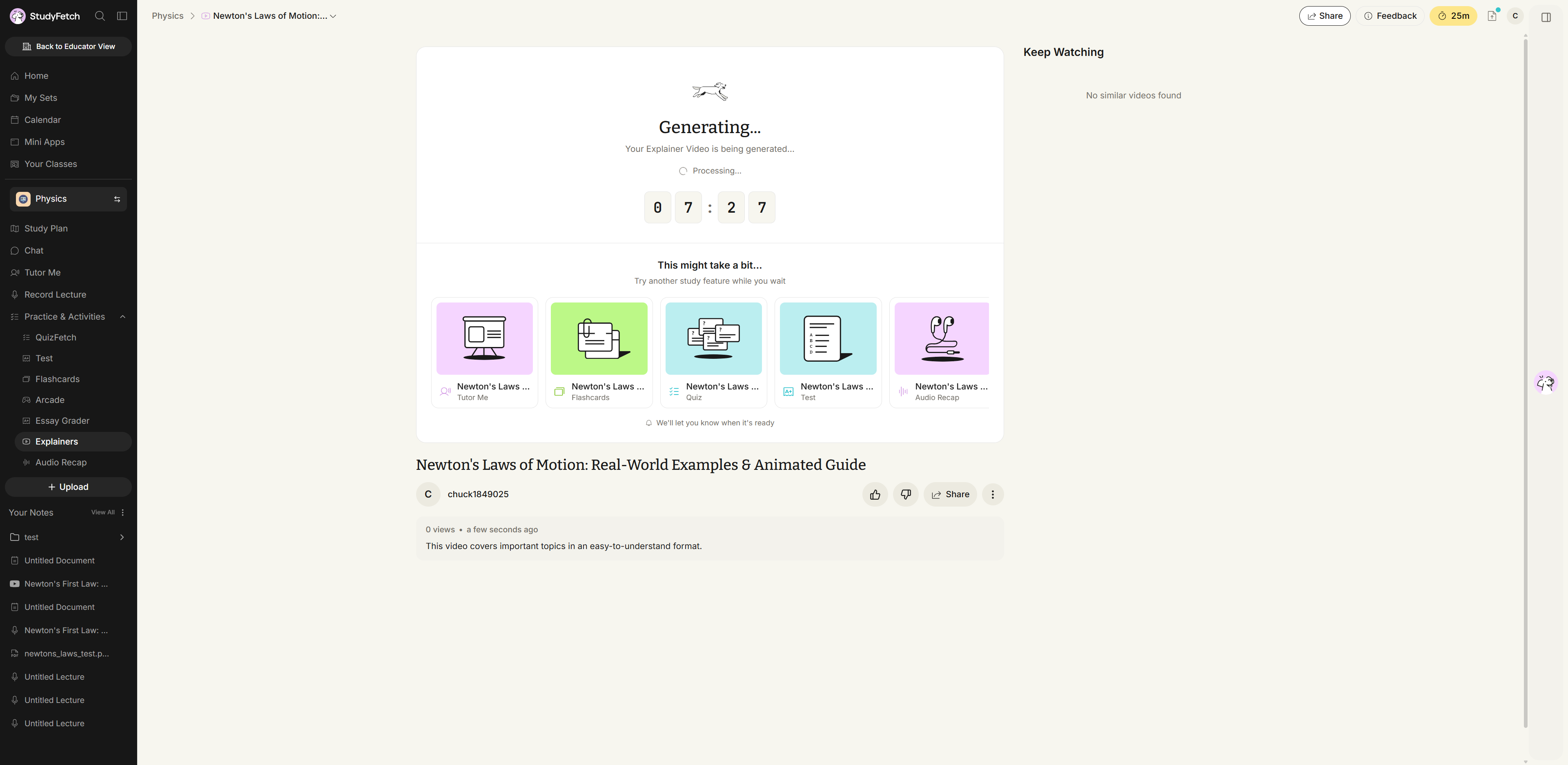
- Proceed to Watch an Explainer Video for next steps.