During setup
Builds and revises the study plan based on the learner's goal, materials, and history.
 StudyFetch Academy
Product docs
Open Chat from the left navigation panel. At the bottom of the chat window, you will see a toggle button labeled Guided. Tap it to switch into Guided Chat mode — or click the Start a Guided Session card that appears above the message box. The same toggle lets you switch back to normal chat at any time — the two modes sit side by side, so moving between them is instant.
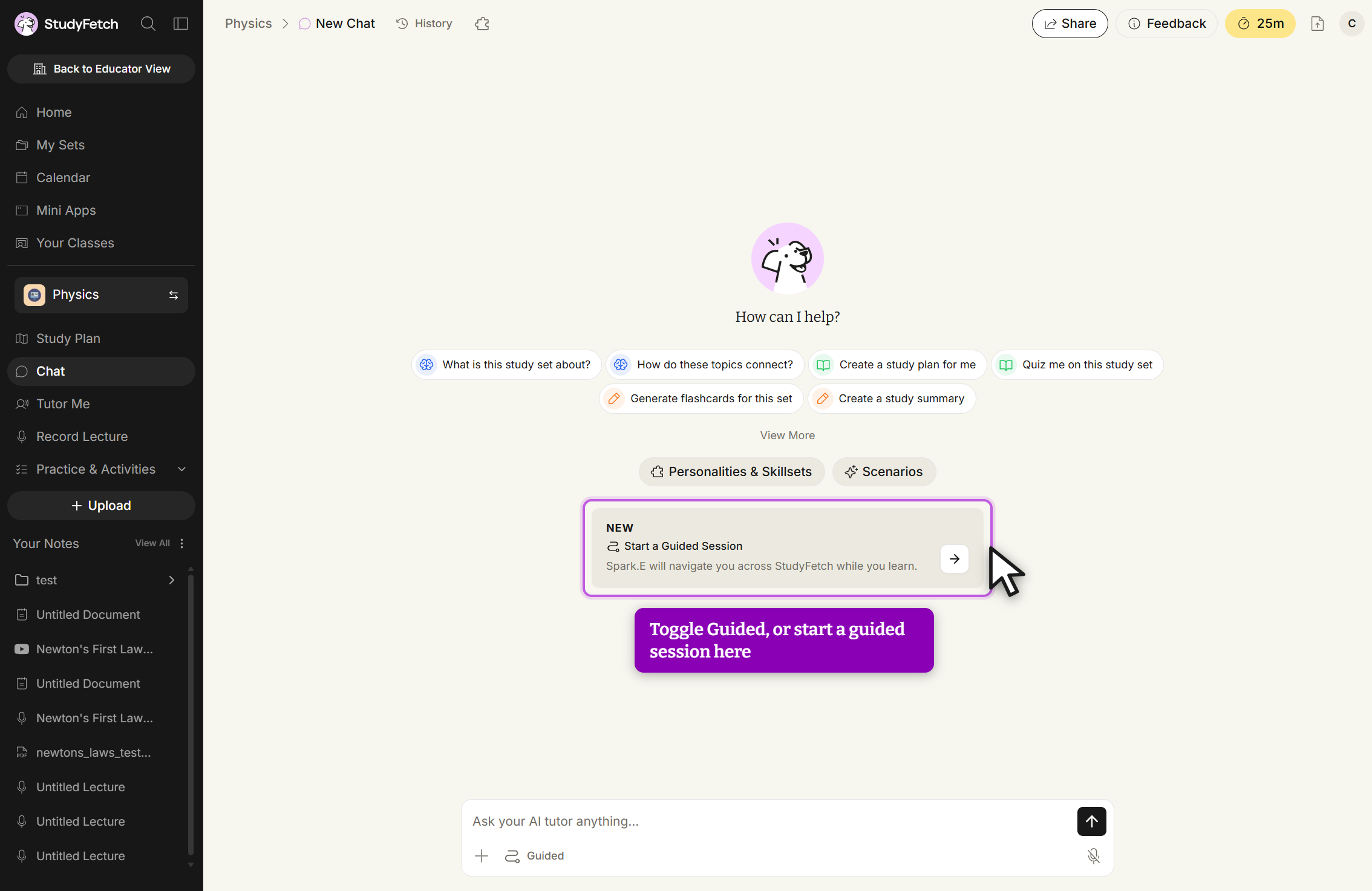
Once you are in Guided mode, Sparky will prompt you with "What would you like me to guide you through?" You can pick one of the suggested topics pulled from your Study Plan, or type "Something else..." to describe your own goal.
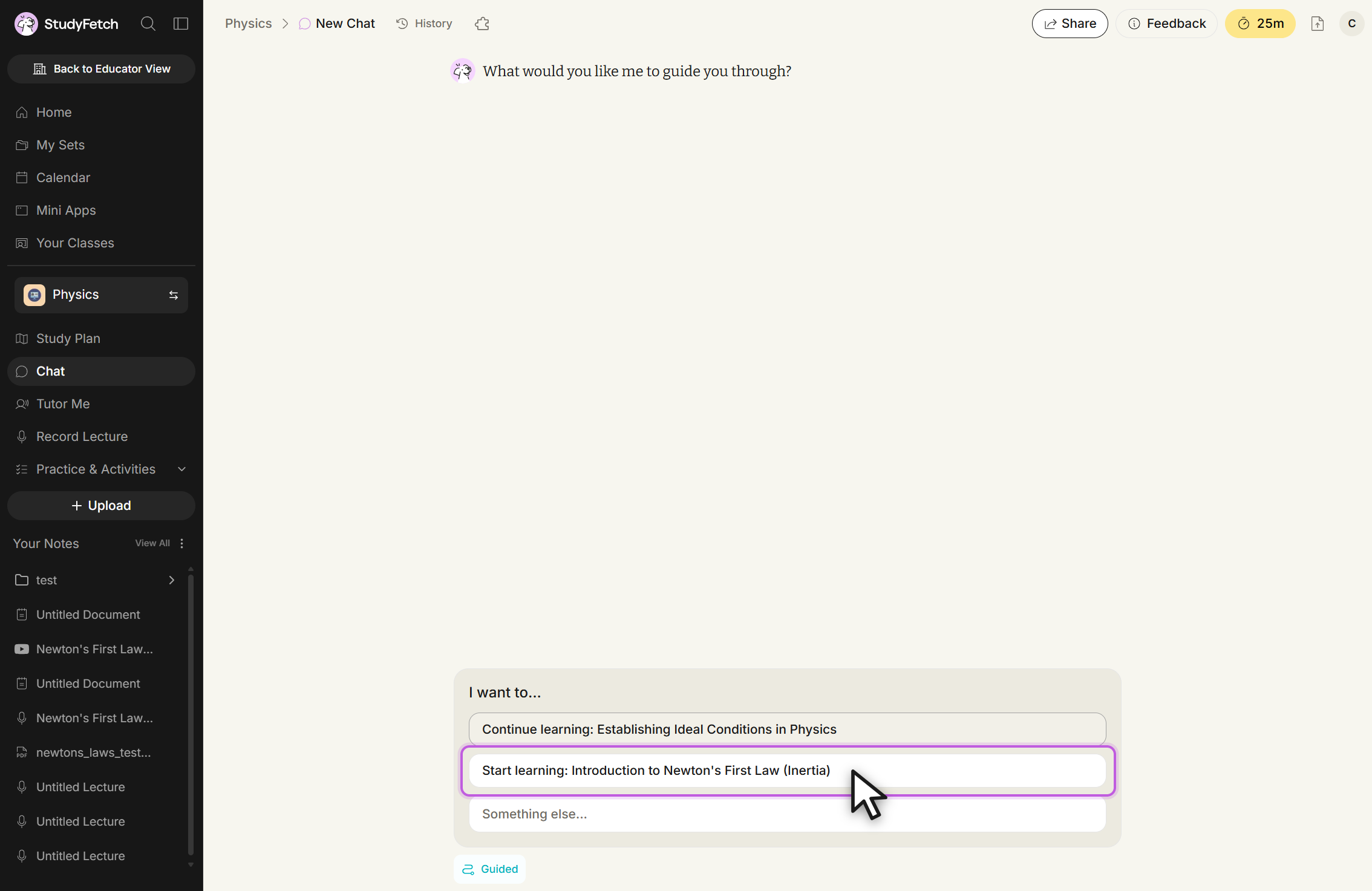
Guided Chat turns Sparky from a chatbot that answers questions into a study coach that runs a session. Instead of waiting for the next prompt, Sparky helps the learner pick one topic, builds a short study plan around it, and then walks them through that plan one step at a time. The learner always knows what they are studying, what step they are on, and what comes next.
After the learner picks a goal, Sparky looks at their study path, the materials available in the set, and how they have studied before, then proposes a personalized plan. A typical plan looks like this:
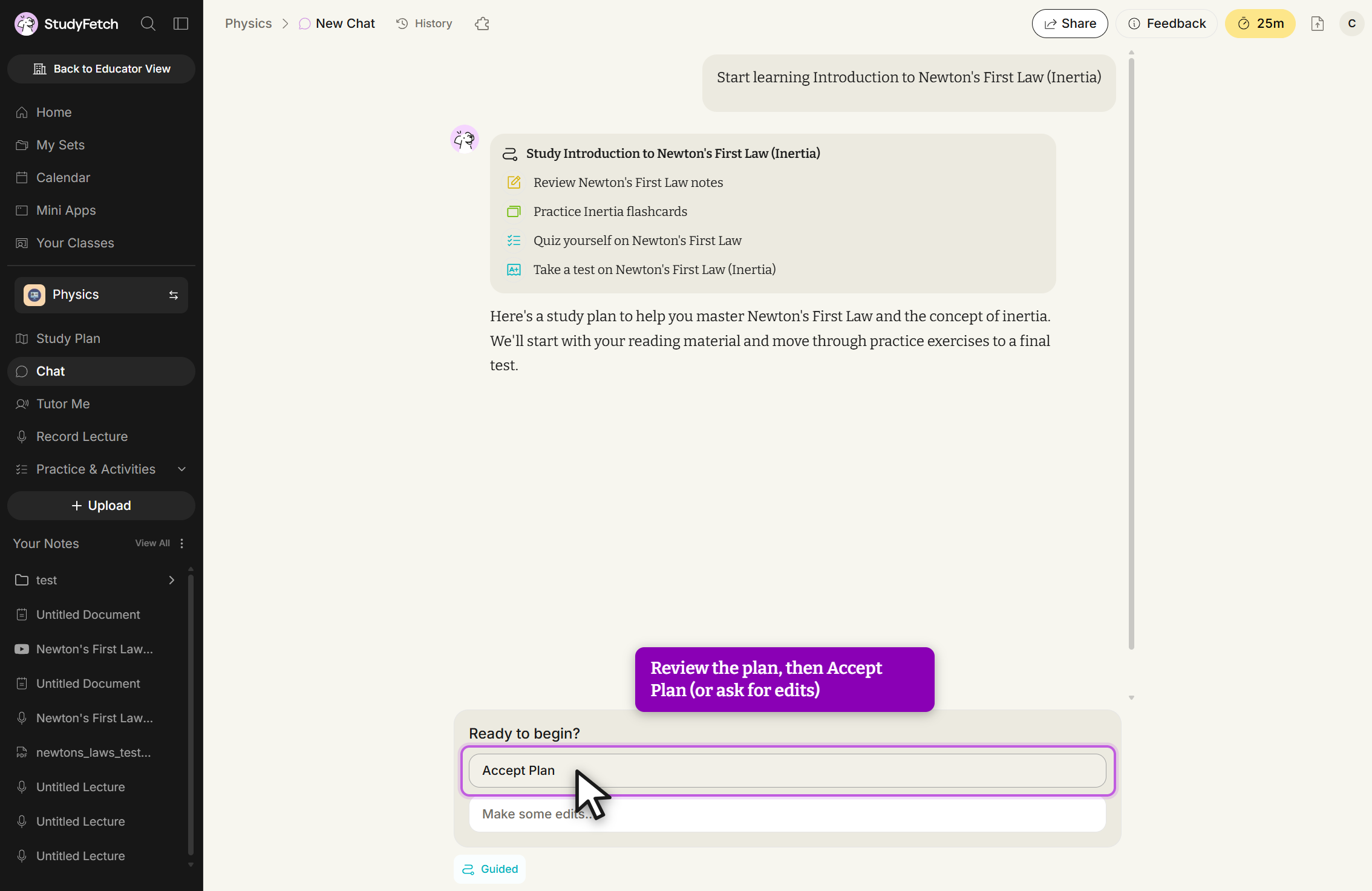
Before anything begins, the learner is in control of the plan. They can accept it as written, ask Sparky to change it, or add and remove steps. Nothing is locked in until they are happy with it.
Once the learner accepts the plan, Guided Chat saves it as a real guided session. Each step becomes a tracked activity, and a step can be any of the platform's learning activities: reading material, flashcards, a quiz, a test, an audio recap, an explainer, or an arcade game.
Throughout the session, the system always knows:
When the learner starts a step, Guided Chat routes them straight to the right activity page — a floating Sparky icon stays available in the corner throughout. When they finish, it records the result, asks whether they want to move on or stay where they are, and only advances when they choose to continue. The learner sets the pace; Sparky keeps the thread.
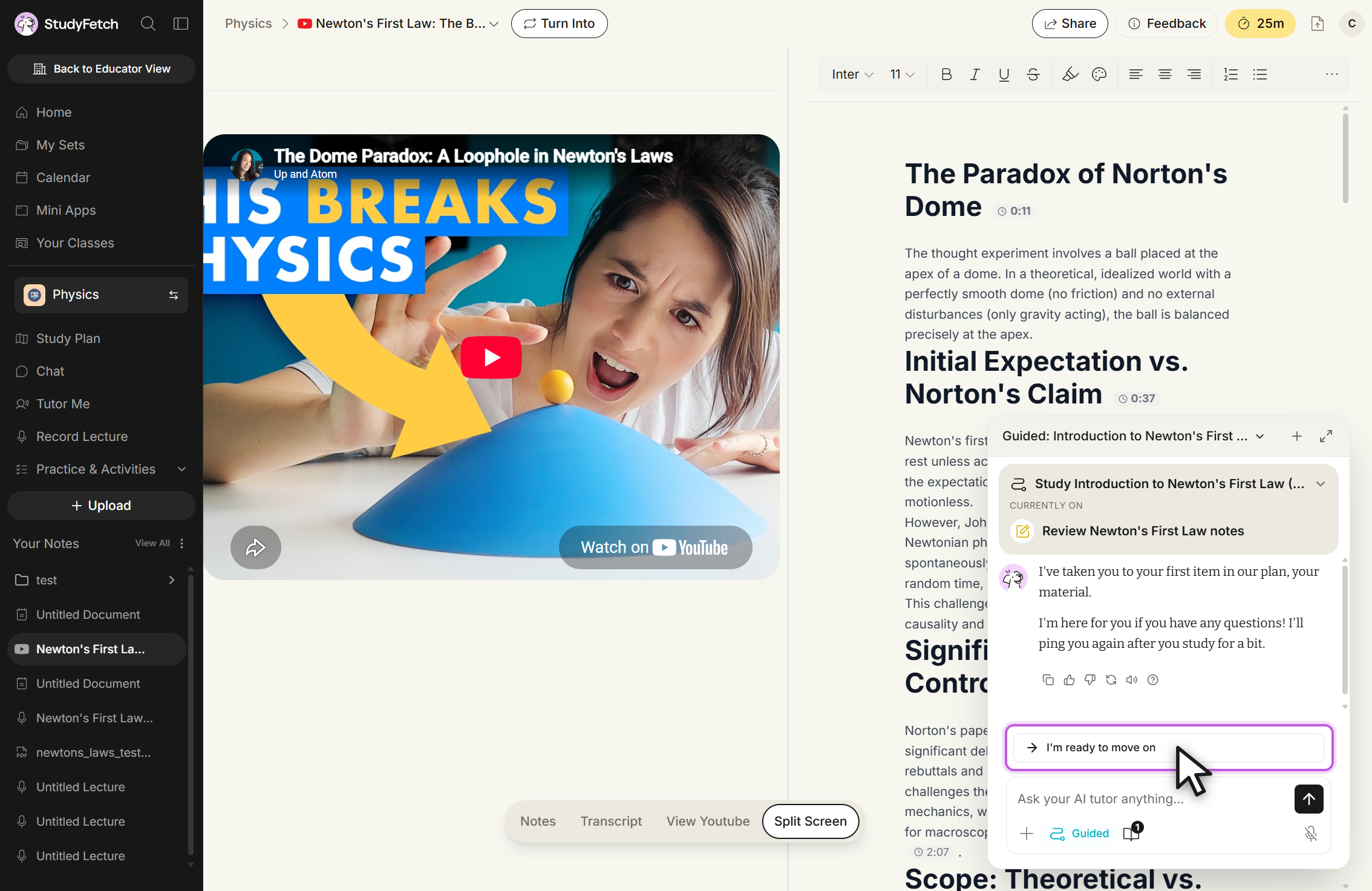
In Guided Chat, Sparky is not just chatting freely. It has a structured role that shifts depending on where the learner is in the plan.
Builds and revises the study plan based on the learner's goal, materials, and history.
Supports the current activity. If the learner asks about what is on screen, it reads the current page context first.
Holds back the answers. It focuses on hints and concept coaching instead of giving the solution away.
Summarizes what the learner completed and suggests a sensible next move.
Guided Chat is paired with an updated Study Plan that gives learners a clearer, more personalized path through their study set. Instead of showing everything as one long list, it organizes topics into a guided learning path and highlights what to study next.
Learners can filter or sort by things like progress, materials, exams, and comprehension, so the view always matches what they are trying to do. At a glance they can see what they have not started, what they have covered, and what they have mastered, which means they always know where to focus next.